WeInfuse reporting: what your WeInfuse data can tell you
What WeInfuse reports can answer for an infusion center today, ten questions on referrals, chairs, approvals, drug and revenue, and what needs other data.

Written by Linus Tse, founder of Greyfield Data
· 9 min read
On this page 10 sections
If your infusion center runs on WeInfuse, most of the questions you ask in a weekly meeting can already be answered from what your team enters every day. I wrote a free 14-page guide, What Your WeInfuse Data Can Tell You. It lists ten of those questions, what a good answer looks like, and the one thing that most often makes each number wrong.
You can get the guide (free PDF). If you would rather have these answers delivered every Monday, that is the WeInfuse reporting service I run for ambulatory infusion centers, and you can book a call to talk it through.
This guide is not a WeInfuse publication. WeInfuse is a trademark of its owner. Greyfield Data is independent and not affiliated with WeInfuse.
Key takeaways
- WeInfuse keeps six kinds of records you can report on: patients, orders and treatment series, visits, authorizations, drug and inventory, and billing records. Knowing which one a question comes from is most of the work.
- Ten everyday questions can usually be answered from WeInfuse alone, from how long referrals take to reach the chair to which finished visits are not billed yet.
- A few answers live somewhere else: what the payer paid and why a claim was denied (if someone else does your billing), referral outreach, payer payment notices, and distributor invoices.
- When two reports disagree, they usually count different things, count by different dates, or include different statuses. Both numbers are often right.
- You can build reports yourself, ask WeInfuse, or bring in help. Most centers use all three at different times.
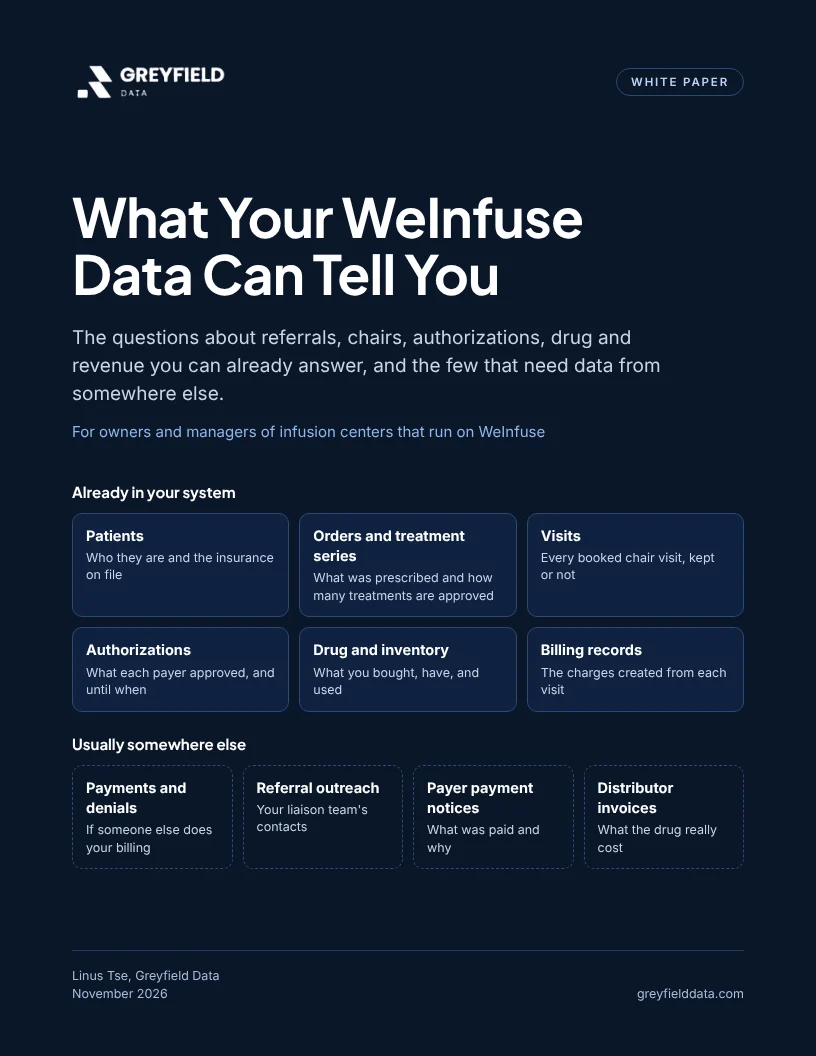
What Your WeInfuse Data Can Tell You: the questions about referrals, chairs, authorizations, drug and revenue you can already answer, and the few that need data from somewhere else.
Who is the guide for?
It is for owners and managers of infusion centers that run on WeInfuse. It is written about your day, not about software: the patients who wait, the chairs that sit empty, and the visits that never get billed. A one-page appendix at the end is for whoever builds your reports.
What does WeInfuse already keep track of?
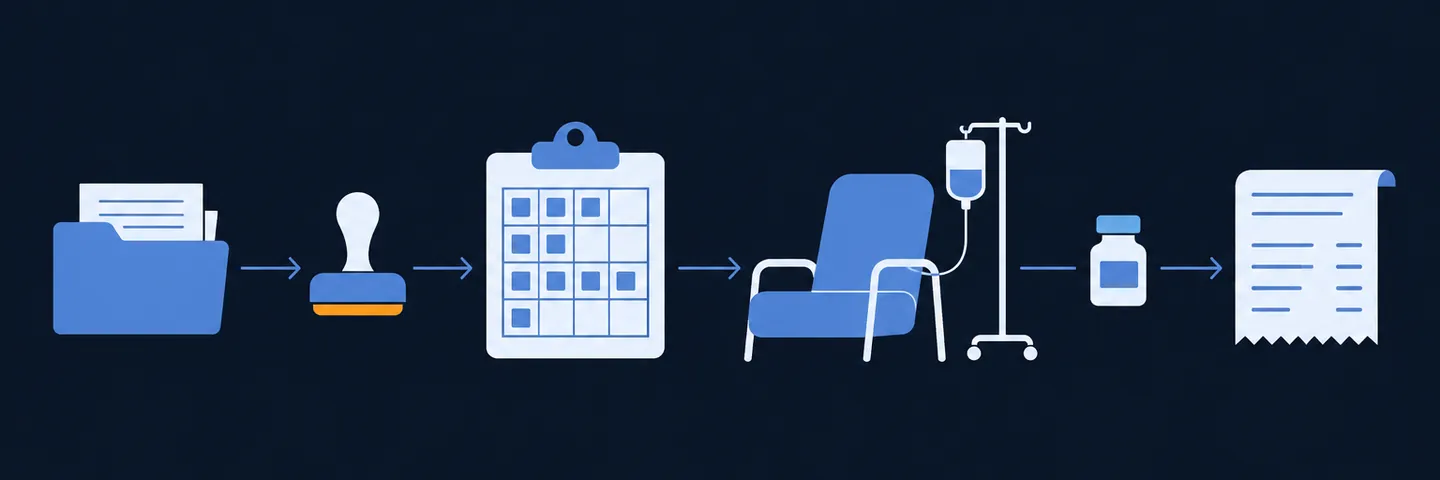
Everything your team enters lands in one of six kinds of records. The order sits in the middle: a referral becomes an order, the order gets approved, the patient is booked, and each visit uses drug from stock and creates a charge.
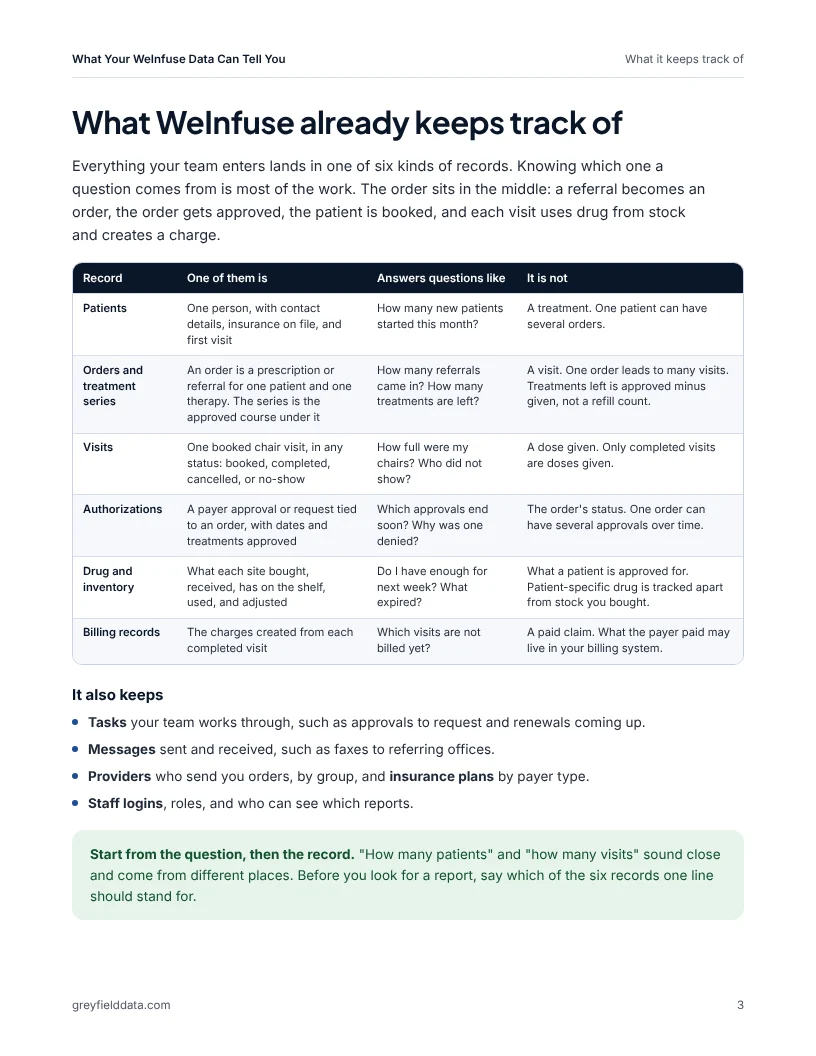
| Record | One of them is | It is not |
|---|---|---|
| Patients | One person, with insurance on file | A treatment. One patient can have several orders |
| Orders and treatment series | A prescription or referral for one therapy, and the approved course under it | A visit. One order leads to many visits |
| Visits | One booked chair visit, in any status | A dose given. Only completed visits are doses given |
| Authorizations | A payer approval tied to an order | The order's status. An order can have several over time |
| Drug and inventory | What each site bought, has, used, and adjusted | What a patient is approved for |
| Billing records | The charges created from each completed visit | A paid claim |
WeInfuse describes its reporting and analytics on its own site. What you can see in your account depends on how your center uses the system.
What questions can WeInfuse reports answer today?
These ten can usually be answered from WeInfuse alone. In the guide, each one gets why it matters, a small synthetic example, and the one thing that most often makes it wrong.
| # | Question | What most often makes it wrong |
|---|---|---|
| 1 | How long does a new referral take to reach the chair? | Orders that have not started drop out, so a slow month looks fast |
| 2 | How many referrals never start treatment, and why? | Looking too soon, before recent orders had time to start |
| 3 | Which authorizations run out in the next 30 days? | Picking up an old approval instead of the latest one |
| 4 | Who is waiting on a benefits check or an approval, and how long? | A status nobody updated after a phone approval |
| 5 | How full are my chairs? | Cancelled and no-show visits left on the calendar |
| 6 | How many visits are no-shows or same-day cancels? | Mixing in visits moved days ahead, which were rebooked |
| 7 | Are patients getting their doses on schedule? | Comparing with visits booked instead of doses due |
| 8 | Which visits are finished but not billed yet? | Reading "billed" as "paid" |
| 9 | Do I have enough drug for next week's schedule? | Counting one patient's specialty pharmacy drug as general stock |
| 10 | Which drugs, payers and sites make up my visits and charges? | Treating billed charges as money collected |
For example, the guide works through chair use for one synthetic site: 6 chairs, open 10 hours a day, 5 days a week, is 300 chair hours. With 228 hours booked, the chairs were 76% full (228 ÷ 300). The free chair utilization calculator runs the same math on your numbers, and the referral leakage calculator puts a dollar figure on referrals that never start.
Several of the ten have their own how-to guides:
- Question 1: where referrals stall before the first infusion.
- Question 3: the WeInfuse expiring authorizations report.
- Question 6: the no-show cost calculator prices each empty chair.
- Question 9: the WeInfuse inventory on hand report.
- Question 10: why claims, charges and collections differ.
What can't WeInfuse see on its own?
Your infusion software sees what happens inside your center. Some answers are made somewhere else:
- Payments and denials, if someone else does your billing. The payer's answer goes back to the billing company or system that sent the claim.
- Referral outreach. Which offices your liaisons visit usually lives in a contact system or a spreadsheet. WeInfuse sees the order when it arrives.
- Payer payment notices. What was billed, allowed, paid, and owed, with a code for each cut or denial, usually goes to your billing system.
- Distributor invoices. Your true drug cost includes discounts and rebates that your infusion software may not hold.
That is why margin by drug and payer, or denials traced back to the order, need more than WeInfuse. The companion paper, All Your Infusion Data in One Place, explains how centers bring those systems together and when it is worth doing.
Why do two WeInfuse reports disagree?
Usually because they count different things, not because anything is missing. Both numbers are often right.
One "active patients" report counts patients with a completed visit in the last 60 days. Another counts patients with an open order, including some who have not started. The same thing happens with orders and visits: a report that lists visits shows each order once per visit, which is why repeated rows in WeInfuse Looker reports are usually not duplicates.
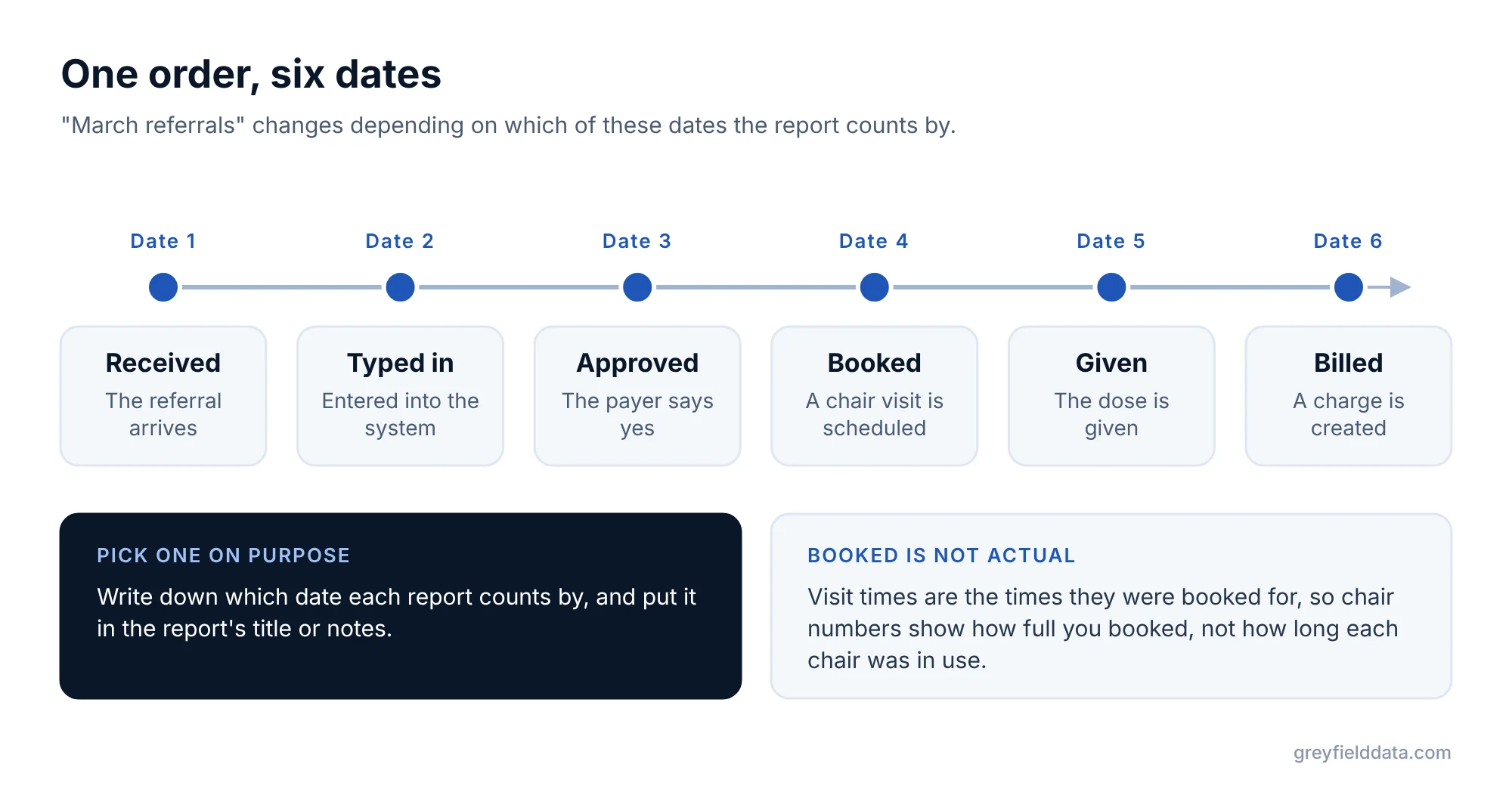
Dates cause the rest. One order has a date it was received, typed in, approved, booked, given, and billed. "March referrals" changes depending on which one you pick. And visit times are the times they were booked for, so chair numbers show how full you booked, not how long each chair was really in use.
How do you get the WeInfuse reports you want?
There are three ways, and most centers use all of them:
| Approach | Good for | Hard part |
|---|---|---|
| Build it yourself | Simple lists, quick changes, no extra cost | Picking the starting report that matches your question, and checking the numbers |
| Ask WeInfuse | Finding existing reports, and how a screen or status works | What they build and how fast depends on your agreement; other systems' data is not their focus |
| Bring in help | Written definitions, reports that combine systems, scheduled delivery | Cost, logins, a business associate agreement, and a point person on your team |
Start yourself with the WeInfuse reporting field guide. Call WeInfuse when you are stuck on how the product works. Bring in help when the question needs another system, or when rebuilding the same report eats a day every week.
What should you ask before building any report?
Five minutes on these saves hours of rebuilding. The guide has the full one-page list.
- What decision will this report change, and who makes it?
- What does one line stand for: a patient, an order, a visit, or an approval?
- Which date are we counting by?
- Which statuses count, spelled the way your system spells them?
- Does it need anything from another system?
- How will we know if it is wrong?
Frequently asked questions
Can I get reports out of WeInfuse myself?
Often, yes. WeInfuse includes reporting where you pick a starting report, choose columns, filter, save, and schedule. The hard part is choosing the starting report whose lines match your question; the orders versus appointments guide shows why that matters.
Does WeInfuse show what the payer paid?
It depends on how you bill. If claims go out through a billing company or another practice system, the payer's payment and denial detail usually comes back there, not to WeInfuse.
Why don't my WeInfuse report totals match my billing company's?
They usually count different things on different dates. WeInfuse counts visits and charges as they happen; billing counts claims and payments as the payer responds. Compare them patient by patient for one week before deciding either is wrong.
Is this guide from WeInfuse?
No. It was written by Greyfield Data, an independent analytics consultancy, from reporting work for infusion providers. WeInfuse has not reviewed it.
Is the guide free?
Yes. Enter your work email on the download page and the PDF downloads right away. Every example uses synthetic data.
What to do next
Get the guide and pick the two questions from the list of ten that your team argues about most. If you want a weekly set of numbers to review, the Infusion Center Metrics Playbook covers twelve. If you want these answers built and delivered every Monday, book a call and bring the report you use today.
Part of the Infusion analytics guides, a reading path through related articles.
Linus Tse
Founder of Greyfield Data. Built 400+ dashboards. Certified in Sigma, Snowflake, Tableau, and Power BI.
About Linus