Red flag reports for infusion centers: 8 weekly exception lists
Eight weekly red flag reports for infusion centers, from expiring authorizations with visits booked to unbilled visits, each with logic, grain, and owner.

Written by Linus Tse, founder of Greyfield Data
· 9 min read
On this page 14 sections

A red flag report is a weekly list of specific patients, orders, visits, or claims that need someone to act before they cost money. Unlike a KPI, the goal is an empty list. The eight I build first catch problems on both sides of the visit.
- Before the visit: expiring authorizations with visits still booked, approved treatments used up, early doses, orders with no appointment, and visits missing required details.
- After the visit: administered visits not billed, waste not documented, and denials close to their appeal deadline.
I build these exception lists from infusion EHR data, mostly WeInfuse's embedded Looker, plus billing and remittance data when the flag needs it. If you want them built and routed to the right people, that is the WeInfuse reporting service I run for ambulatory infusion centers. To size what a missed visit costs before you start, try the no-show cost calculator.
Key takeaways
- A red flag report lists items to fix, one row per item, with a target of zero rows. If the list never shrinks, nobody owns it.
- Every flag needs four things written down: the logic, the grain, the owner, and how fast they should act.
- Start with the flags that stop money from leaving: authorization problems before the visit, and unbilled or under-billed visits after it.
- Build the logic on the right base table. Orders with no appointment only show up when you start from orders, not appointments.
- Treat the flags as a weekly routine, not a dashboard. The list goes to the owner; the owner clears it.
What is a red flag report in an infusion center?
A red flag report, or exception report, shows only the rows that break a rule. "Appointments scheduled after the patient's authorization expires" is a red flag report. "Authorizations by status" is not; it's a summary.
The difference matters because summaries tell you how things are going, while exception lists tell a specific person what to do on Monday. The 12 weekly reports guide covers the summary side. This guide covers the lists. For where both fit in the full reporting picture, start with the WeInfuse reporting guide.
Which 8 red flag reports should an infusion center run?
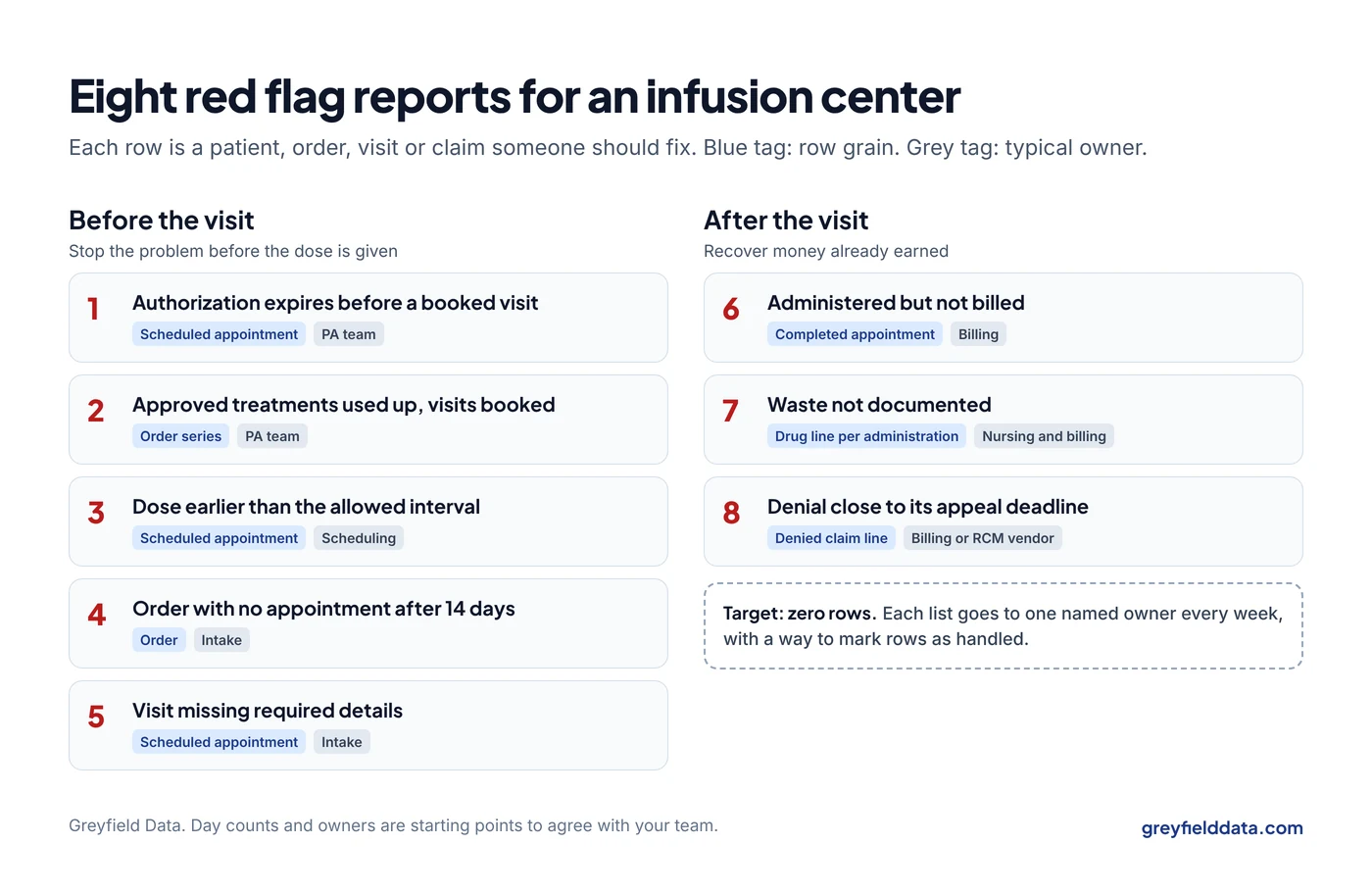
The eight below cover the costliest misses before and after the visit. Each has one row type, one owner, and a deadline to act.
| # | Red flag | Grain (one row is) | Typical owner | Act within |
|---|---|---|---|---|
| 1 | Authorization expires before a booked visit | Scheduled appointment | Prior authorization team | Before the visit |
| 2 | Approved treatments used up, more visits booked | Order series | Prior authorization team | Before the next visit |
| 3 | Dose earlier than the allowed interval | Scheduled appointment | Scheduling | Before the visit |
| 4 | Order with no appointment after 14 days | Order | Intake | This week |
| 5 | Visit missing required details | Scheduled appointment | Intake or scheduling | Before the visit |
| 6 | Administered but not billed | Completed appointment | Billing | Within your billing target |
| 7 | Waste not documented | Drug line per administration | Nursing lead and billing | Before the claim goes out |
| 8 | Denial close to its appeal deadline | Denied claim line | Billing or RCM vendor | Before the deadline |
The day counts and owners are starting points. Agree on your own and write them on the report.
1. Which booked visits fall after the authorization expires?
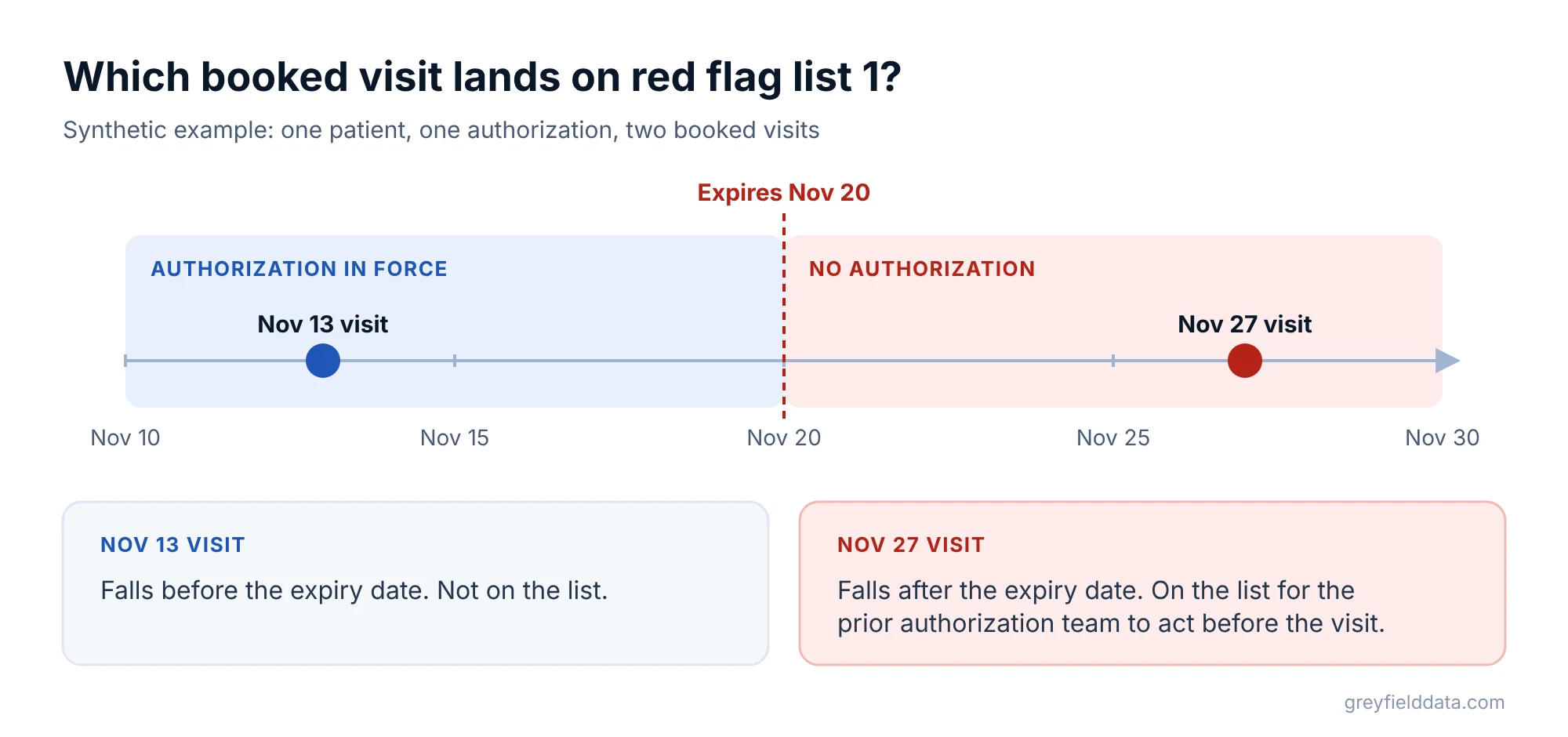
This flag lists scheduled appointments whose date falls after the patient's current authorization expires.
- Logic: appointment status is scheduled, and appointment date is after the authorization expiry date (or no approved authorization exists).
- Grain: one row per scheduled appointment, with the authorization expiry date beside it.
- WeInfuse fields:
latest_authorization.expiry_dateandlatest_authorization.statusfor the authorization,appointments.start_timeandappointments.statusfor the visit. The orders Explore exposes all four, so you can start there and keep one row per appointment. - Watch for: Latest Authorization shows current state, not history. Check which authorization statuses your center actually uses, and get the include list agreed with the PA team.
Synthetic example: an authorization expires November 20. The patient has visits booked November 13 and November 27. Only the November 27 visit appears on the list.
2. Which patients have used up their approved treatments but still have visits booked?
This flag lists order series where the patient has received all approved treatments but still has visits on the schedule.
- Logic: treatments received is greater than or equal to treatments approved, and at least one future appointment exists on that order.
- Grain: one row per order series.
- WeInfuse fields:
order_series.treatments_approvedandorder_series.treatments_received. - Watch for: treatments approved is a planned count, not proof the drug or the authorization is in place, and not the same as vials or refills.
3. Which doses are booked earlier than the allowed interval?
This flag lists scheduled appointments booked sooner after the last completed dose than the order's frequency allows. Payers can deny, or refuse to pay for, a dose given early.
- Logic: days between the last completed administration and the scheduled appointment are fewer than the ordered interval, minus any tolerance your payers accept.
- Grain: one row per scheduled appointment.
- Watch for: the allowed window varies by drug and payer. Write the tolerance you use on the report rather than guessing.
4. Which orders still have no appointment after 14 days?
This flag lists orders received more than 14 days ago that still have no appointment. These are referrals quietly leaking out of your funnel.
- Logic: order created date is more than 14 days ago, order status is not cancelled or discontinued, and the count of appointments on the order is zero.
- Grain: one row per order, with days since received and current stage (benefits, authorization, scheduling).
- WeInfuse fields:
orders.created_dateandorders.status. - Watch for: build this from the orders Explore. The appointments Explore starts from appointments, so orders with none never appear. The orders vs appointments guide shows why.
The referral to first treatment guide breaks this wait into stages, and the referral leakage calculator puts a value on the orders you lose.
5. Which upcoming visits are missing required details?
This flag lists appointments in the next seven days that are missing anything the visit or the claim will need.
- Logic: appointment is scheduled within seven days, and any required field is blank: chair, drug, dose, diagnosis on the order, ordering provider, or primary payer.
- Grain: one row per scheduled appointment, with a column naming the missing field.
- Watch for: decide the required list with intake and billing together. A field that's optional in the EHR may be required by a payer.
6. Which administered visits have not been billed?
This flag lists completed administrations with no claim, older than your billing target.
- Logic: appointment status is completed, the billed indicator is no (or no matching claim exists), and the date of service is more than your target days ago.
- Grain: one row per completed appointment, sorted by days since service.
- WeInfuse fields:
appointments.statusandappointments.billed. - Watch for: confirm what "billed" means at your center. A billed flag can be set when a claim is created, not when it's accepted. Matching to actual claims is stronger.
The revenue leakage guide shows where this sits among the other leaks, and the revenue leakage calculator estimates what unbilled visits cost you each month.
7. Which administrations are missing waste documentation?
This flag lists administrations of single-dose container drugs where the waste record is missing or doesn't match the claim.
- Logic: the drug is from a single-dose container, and either no waste amount is documented and no zero-waste attestation exists, or the documented waste differs from the waste units billed.
- Grain: one row per drug line per administration.
- WeInfuse fields: the Billings and appointments models include
prepared_medications.wastage. Check it's populated at your center before relying on it; a field being present doesn't prove it's filled in. - Watch for: the modifier rules for discarded drug are in the JW and JZ modifier guide. Use current CMS and payer policy, not an old rule of thumb.
8. Which denials are close to their appeal deadline?
This flag lists denied claim lines that haven't been appealed or corrected and are within 14 days of the payer's deadline.
- Logic: line is denied, no appeal or corrected claim is recorded, and the payer's appeal deadline minus today is 14 days or fewer.
- Grain: one row per denied claim line.
- Source: remittance (835) data and your billing system, not the infusion EHR.
- Watch for: deadlines differ by payer and contract. Store them in a payer table rather than hard-coding one number. The denial analysis guide covers grouping denials by cause.
How do you make red flag reports stick?
Red flag reports stick when each one has an owner, a weekly rhythm, and a way to mark rows as handled.
- Send the list to one person. Not a channel, not a team inbox.
- Track the count each week. A rising count on any list is itself a flag.
- Add a "handled" status. Without it, last week's rows stay on the list and people stop reading it.
- Retire empty lists. If a list has been empty for months, check it quarterly instead.
- Review the logic when it's wrong. Every false positive costs trust. Fix the rule rather than asking people to ignore rows.
What to do next
Start with two flags and run them every Monday for a month with a named owner. Pick one before the visit (usually number 1) and one after (usually number 6), then add the rest.
For the definitions behind each list, see the infusion center KPI glossary and the infusion center metrics playbook, or download the infusion center metrics white paper. If you want these built on your WeInfuse and billing data and sent to the right people, book a call with me.
WeInfuse is a trademark of its owner. Greyfield Data is independent and not affiliated with WeInfuse.
Frequently asked questions
What are red flag reports for an ambulatory infusion center?
Weekly exception lists that show only the items breaking a rule, such as visits booked after an authorization expires or administered visits not yet billed. Each row is something a named person should fix.
How is a red flag report different from a dashboard?
A dashboard summarizes how things are going. A red flag report lists specific patients, orders, visits, or claims that need action, and the goal is an empty list.
Which red flag report should we build first?
Expiring authorizations with visits booked, and administered visits not yet billed. One stops a costly denial before it happens; the other recovers money you've already earned.
Can these reports be built in WeInfuse?
The authorization, scheduling, order, and unbilled flags can usually be built from WeInfuse's Looker models. The appeal deadline flag needs remittance and billing data from outside WeInfuse.
Part of the Infusion analytics guides, a reading path through related articles.
Linus Tse
Founder of Greyfield Data. Built 400+ dashboards. Certified in Sigma, Snowflake, Tableau, and Power BI.
About Linus