9 questions to ask before you buy infusion analytics software or services
Nine vendor-neutral questions to ask before buying infusion analytics software or services: data access, definitions, BAAs, cost, lock-in, and support.

Written by Linus Tse, founder of Greyfield Data
· 11 min read
On this page 16 sections
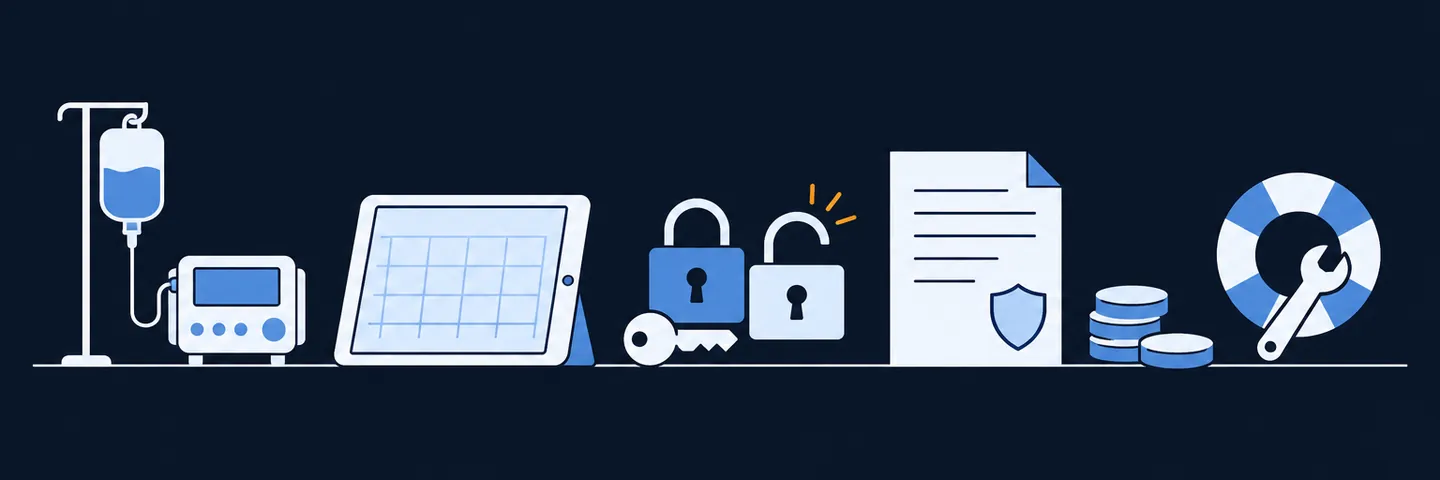
Before you buy infusion analytics software or services, ask nine questions. How will they get data out of each system? Who owns the metric definitions? Will they sign a business associate agreement, and where will patient data live? Can they join data across systems, and how do they prove the numbers are right? Then ask what it costs after year one, what you own if you leave, who supports it, and what your data can't answer. Their answers tell you more than any demo.
Greyfield Data sells infusion analytics services, including WeInfuse reporting, so treat this list with that in mind. I wrote it to be useful whoever you buy from, and it ends with when Greyfield isn't the right fit. If you first want to know which kind of help you need, the guide to choosing an infusion analytics partner covers the five options.
Key takeaways
- Ask how the vendor gets data out of each of your systems before you look at a single dashboard. Access is where most projects stall.
- Get the metric definitions in writing, and make sure you own them. A dashboard built on definitions you never saw can't be checked.
- No patient record should leave your systems until a business associate agreement (BAA) is signed with everyone who will hold it.
- Ask what happens when you leave: what you keep, in what format, and how long the handover takes.
- A good vendor tells you what your data can't answer. One who says "everything" hasn't looked.
Quick answers
- Best for: owners, administrators, and CFOs comparing software, consultants, or both.
- Ask first: how they will get data out of each system you run.
- Biggest red flag: a dashboard demo before anyone asks about your definitions.
- Must have in writing: the BAA, the metric definitions, and what you keep at exit.
- Time needed: one call per vendor, with this list and someone from finance.
What are the 9 questions, and what does a good answer sound like?
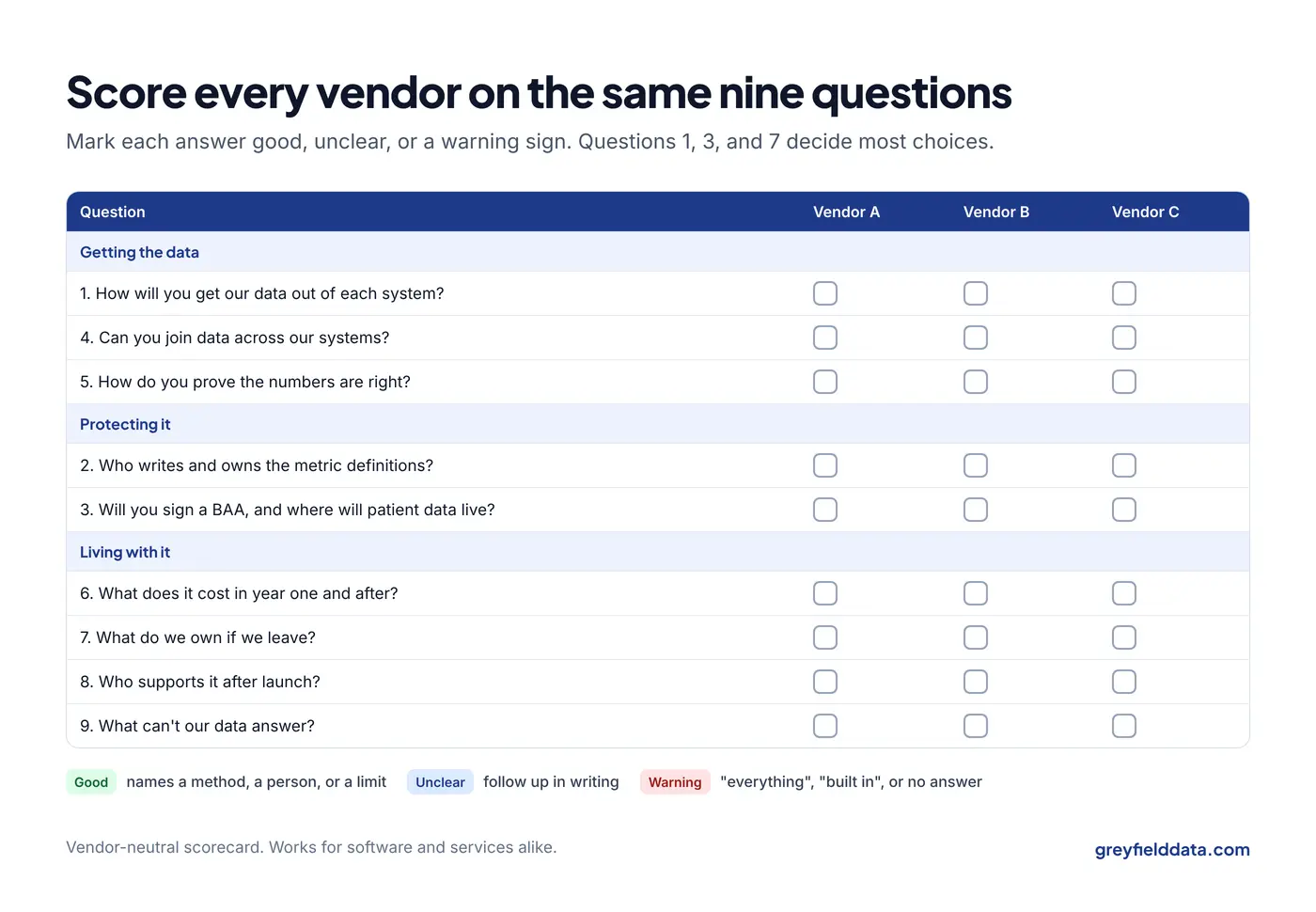
The table pairs each question with a good answer and a warning sign. Use it as a scorecard on each call.
| # | Question | A good answer sounds like | Warning sign |
|---|---|---|---|
| 1 | How will you get our data out of each system? | Names the method for each system and what you must request | "We integrate with everything" |
| 2 | Who writes and owns the metric definitions? | You approve each one in writing, and you keep them | Definitions are "built in" and not shown |
| 3 | Will you sign a BAA, and where will patient data live? | Yes, plus the cloud vendor, region, and who has access | Hesitation, or data on a laptop |
| 4 | Can you join data across our systems? | Explains how a visit is matched to its claim and payment | Only reports on one system |
| 5 | How do you prove the numbers are right? | Ties totals to source reports and the ledger every month | "The job ran, so it's complete" |
| 6 | What does it cost in year one and after? | Separates setup, licenses, and support | Only a monthly price per site |
| 7 | What do we own if we leave? | Your data, definitions, and code, in a usable format | Data export "on request" for a fee |
| 8 | Who supports it after launch? | Named people, response times, and what's covered | A ticket queue and no names |
| 9 | What can't our data answer? | Specific limits, such as no check-in times | "Everything" |
1. How will you get our data out of each system?
Ask them to name the method for each system you run, and what you have to request to make it work. Getting data out is where most infusion analytics projects stall, and it is mostly outside the vendor's control.
For WeInfuse, data usually comes out through its embedded Looker: scheduled report exports, or the Looker API. An API connection needs an active Looker seat and API credentials for your center, which WeInfuse support issues. The checklist before connecting a system to WeInfuse lists every step. WeInfuse is a trademark of its owner. Greyfield Data is independent and not affiliated with WeInfuse.
- Good answer: "For your EHR we'll use scheduled exports; for your billing company, their remittance files; and you'll need to request API credentials in week one."
- Follow-up: "What happens when an export fails or skips a day?"
2. Who writes and owns the metric definitions?
You should approve every definition in writing, and you should keep them. A definition says what one row counts, which date it uses, and what is included and excluded.
Software often ships with built-in definitions. That can be fine, but ask to see them. "Chair utilization" or "new patient" may not mean what your team means. To see how much a definition moves the number, try the infusion chair utilization calculator with your own chairs and completed infusions.
- Good answer: a sample definition document from a past project, with client details removed, and a step where you sign off before anything is built.
- Follow-up: "If we change a definition, do past months change too, and will you show us?"
The infusion center KPI glossary shows what a written definition looks like.
3. Will you sign a BAA, and where will our patient data live?
The answer must be yes. Under HIPAA, anyone who holds your patients' information on your behalf needs a business associate agreement with you. The cloud vendor that stores the data needs one too.
Ask where the data will live, in which cloud and region, and who can see it. For a data warehouse, the platform should be HIPAA-eligible, such as Snowflake, Microsoft Azure, or Google Cloud BigQuery. The BAA with the cloud vendor should be signed before any patient record is loaded.
- Good answer: "We sign a BAA before access, the data stays in your own cloud account, and only these named roles can see patient details."
- Follow-up: "Do you use real patient data in demos?" The answer should be no. Demos should use synthetic data.
4. Can you join data across our systems?
Many questions need more than one system. Margin by drug and payer needs distributor invoices and remittances. Tracing a denial back to its referral needs the EHR and billing.
Ask how they would match one visit to its claim line and its payment. If billing runs outside your EHR, this is the hardest part. The billing outside WeInfuse guide shows what goes missing.
- Good answer: a clear explanation of the matching keys, and what happens when a record doesn't match.
- Follow-up: "What share of visits typically fails to match at first, and how do you report it?"
5. How do you prove the numbers are right?
Ask how they check that every row arrived, and how they compare totals with the systems they came from. A job that ran without errors doesn't prove the data is complete. An export can succeed and still skip a window.
For finance numbers, ask how they tie to the general ledger. Collections should tie closely to bank deposits. Charges never tie, because they reflect list prices. The CFO's guide to an infusion data warehouse covers what should tie.
- Good answer: weekly row-count checks, a monthly tie-out to the ledger, and a written list of known differences.
6. What does it cost in year one, and every year after?
Ask for setup, software licenses, cloud costs, and ongoing support as separate lines. A price per site per month can hide setup fees, or cloud costs you pay directly.
Ask what changes the price: more sites, more users, more data, or new reports. Ask what a new report costs after launch.
- Good answer: a written estimate with each cost separate, and what would make it go up.
- Follow-up: "Which costs do we pay directly to the cloud vendor?"
To weigh the cost, put a number on today's manual work with the free reporting time calculator.
7. What do we own, and what happens if we leave?
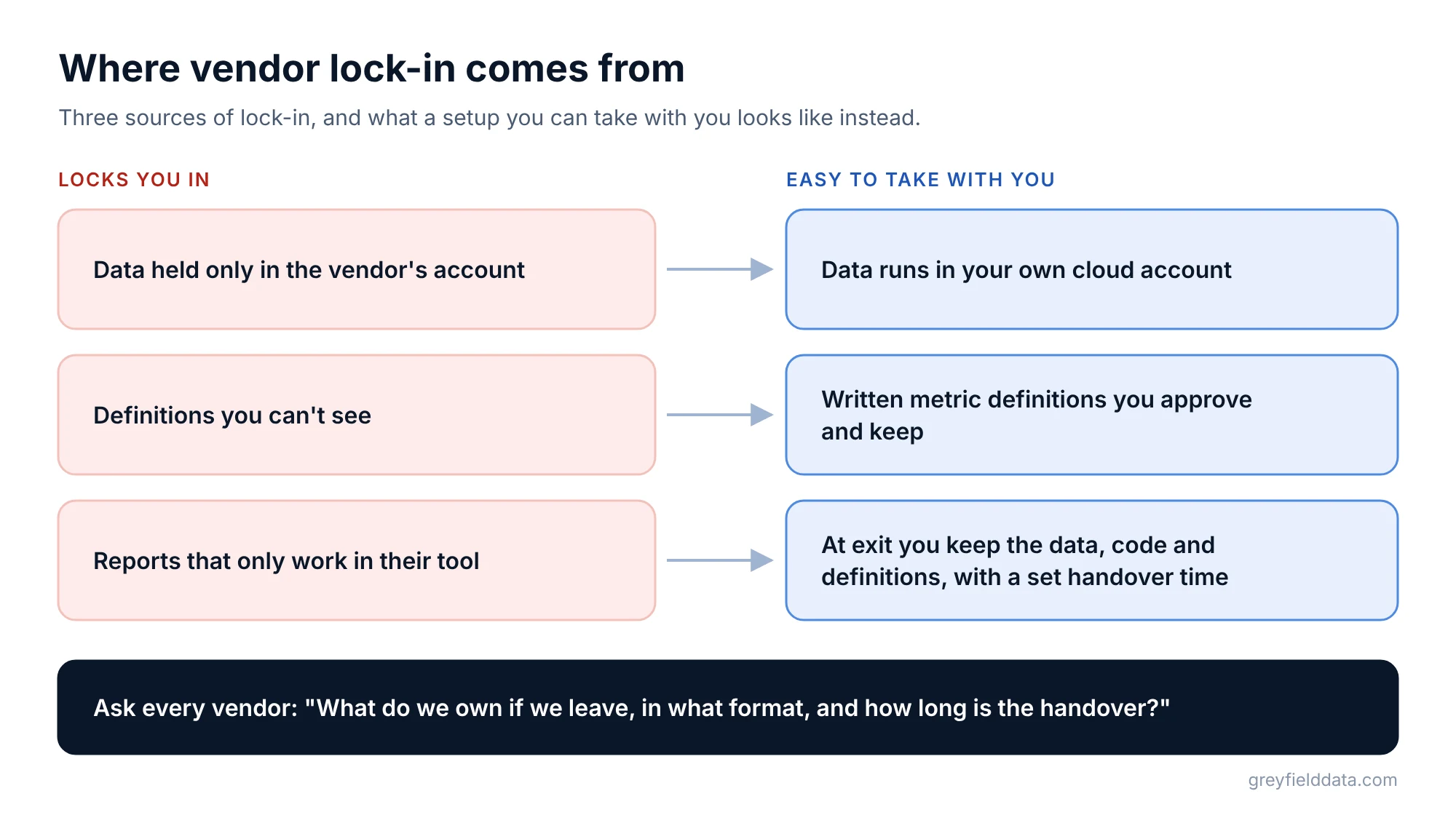
Ask what you keep at the end: your data, the definitions, the reports, and any code. Ask in what format, and how long the handover takes.
Lock-in usually comes from three places: data held only in the vendor's account, definitions you can't see, and reports that only work in their tool. A setup built in your own cloud account, with written definitions, is easier to take with you.
- Good answer: "Everything runs in your account. At exit you keep the data, the code, and the definitions document, and we hand over in a set number of weeks."
- Follow-up: "Has a client left before? What did the handover look like?"
8. Who supports it after launch?
Ask who you will talk to each week, how fast they respond, and what support covers. Reports break when a source system changes a field, or a payer changes a file.
Ask what happens if your main contact is away for a month. With a small vendor, that matters.
- Good answer: named people, a response time in writing, and a list of what is included, such as fixing broken reports and small changes.
- Follow-up: "Who notices first when a scheduled report fails, you or us?"
9. What can't our data answer?
A good vendor tells you where your data falls short before you sign. Common limits at infusion centers are utilization without check-in and check-out times, turnaround times when stage history isn't stored, and revenue when only expected amounts exist.
- Good answer: specific limits for your systems, and what you would need to start recording to close each gap.
- Warning sign: "We can answer everything." It means they haven't looked at your data yet.
Ask to see the product or a past project on synthetic data. The infusion data assistant demo shows the kind of plain-English answers a fictional center can get from synthetic data.
When isn't Greyfield Data the right fit?
Greyfield is a small, independent consultancy. It is not the right fit if:
- You want billing worked, not just reported. Greyfield doesn't post payments, work denials, or file appeals. A revenue cycle firm fits better.
- Your EHR's standard reports answer your questions. If you run one site and its reports cover what you need, use them.
- You need a large team on site. A larger firm fits better.
- You need clinical, coding, or legal advice. Greyfield builds reporting; it doesn't give that advice.
What should you do before the first vendor call?
Write down the five questions you can't answer today, the systems you run, and who will own the work. Then score each vendor on the nine questions above.
The infusion data readiness check shows which of four stages your reporting is at, which tells you how much help you need. The 7 signs you need a data warehouse helps you decide whether you need one now. The 12 weekly reports guide is a good list of questions to test vendors with.
What to do next
Copy the scorecard table into your notes and use it on every call. If a vendor can't answer questions 1, 3, and 7 clearly, keep looking.
For the bigger decision of what kind of help to hire, read choosing an infusion analytics partner. For groups planning a warehouse, the free white paper All Your Infusion Data in One Place explains how it works. More guides are on the infusion analytics resources page, and the WeInfuse reporting guide covers what WeInfuse's own reports can do. If you want to put these nine questions to me, book a call.
Frequently asked questions
What should I ask an infusion analytics vendor?
Ask how they get data out of each system, who owns the definitions, whether they will sign a BAA, and how they prove numbers are right. Then ask about total cost, what you keep if you leave, support, and what your data can't answer.
How do analytics vendors get data out of WeInfuse?
Usually through WeInfuse's embedded Looker, by scheduled report exports or the Looker API. An API connection needs an active Looker seat and API credentials that WeInfuse support issues for your center.
Does an infusion analytics vendor need to sign a BAA?
Yes, if they will hold or access your patients' information. The cloud vendor where the data lives also needs a BAA, signed before any patient record is loaded.
How do I avoid lock-in with an analytics vendor?
Keep the data in your own cloud account, get the metric definitions in writing, and agree in the contract what you keep and how the handover works if you leave.
Should I buy infusion analytics software or hire a consultant?
Buy software if its standard reports answer your questions and you accept its definitions. Hire help if you need several systems joined, definitions of your own, or reports the software doesn't offer.
Part of the Infusion analytics guides, a reading path through related articles.
Linus Tse
Founder of Greyfield Data. Built 400+ dashboards. Certified in Sigma, Snowflake, Tableau, and Power BI.
About Linus