What do you need before connecting another system to WeInfuse?
A checklist for connecting another system to WeInfuse data: a Looker seat, API credentials from WeInfuse support, a BAA, field scope, and what to test.

Written by Linus Tse, founder of Greyfield Data
· 8 min read
On this page 6 sections
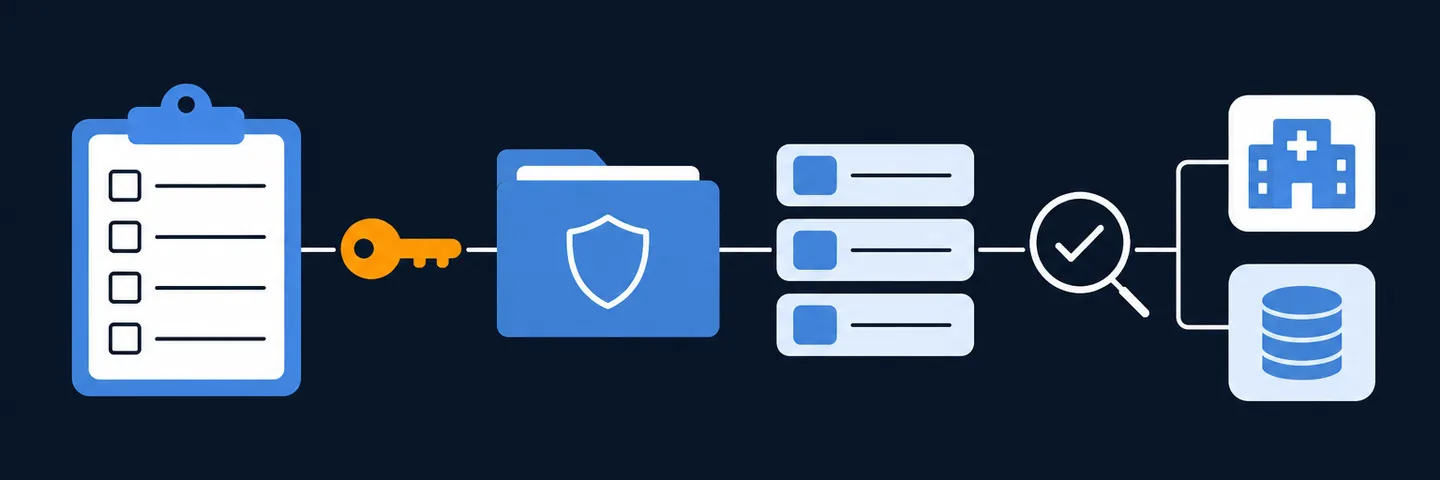
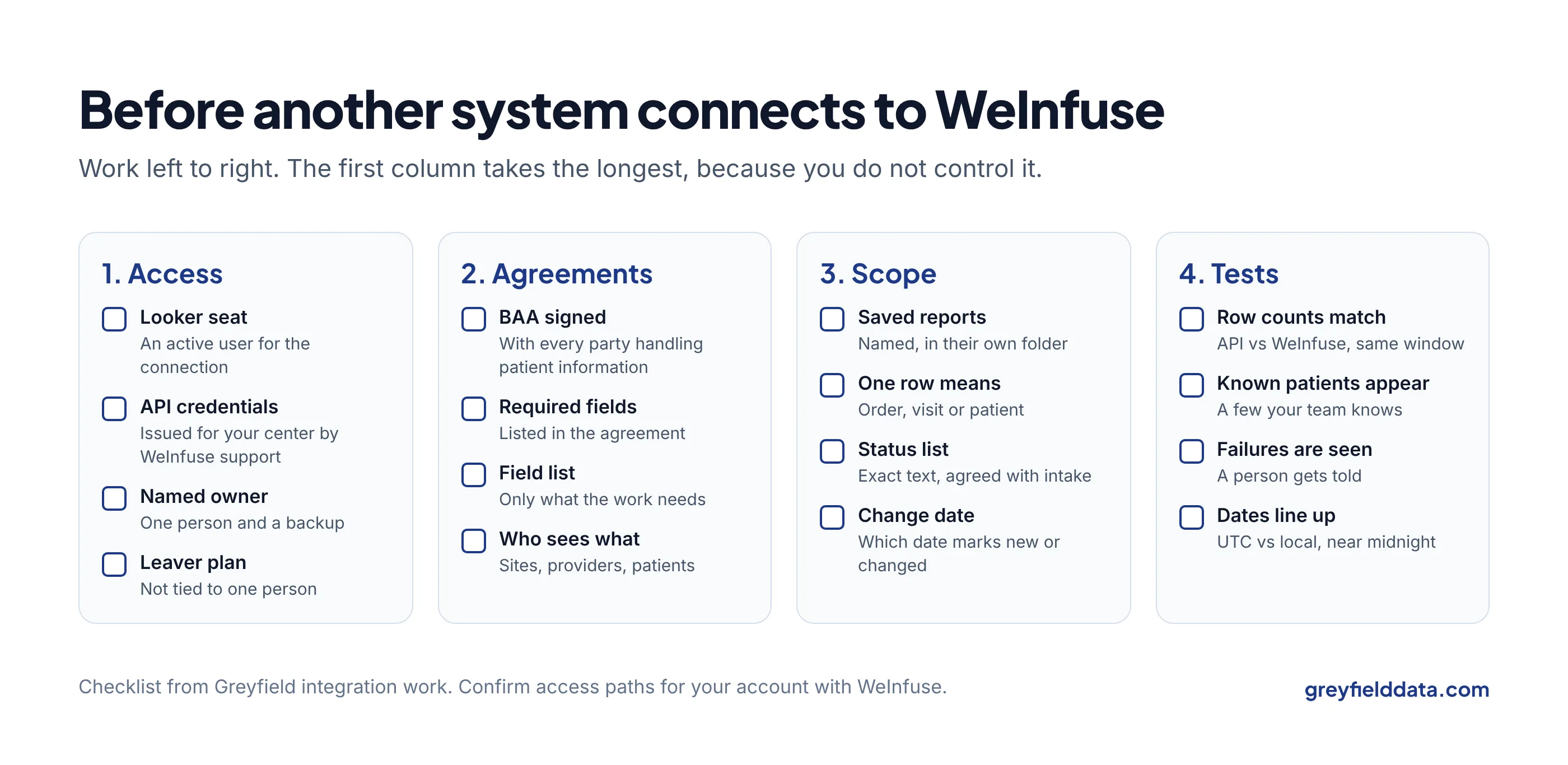
Before another system connects to your WeInfuse data, you need five things in place:
- An active Looker seat for the connection to use.
- API credentials for your center, issued by WeInfuse support.
- A business associate agreement with whoever runs the connection.
- A written list of the saved reports and fields it will pull.
- A set of tests that prove the data is complete.
Most delays come from the first two, because you do not control them.
I have set up WeInfuse connections for a hub-services company, a CRM and a warehouse, and written the setup steps for a WeInfuse credential handover. If you want help getting one live, see WeInfuse reporting help, or book a 30-minute call.
Key takeaways
- WeInfuse issues the API credentials for your center. Ask early: it is the step most likely to hold up a go-live.
- The credentials act as a Looker user. That user needs an active seat and access to the reports the connection pulls.
- A business associate agreement must be in place before patient information moves, and the connection should pull only the fields the work needs.
- Agree which saved reports, fields, statuses and date windows the connection uses, in writing.
- Test completeness, not just "it ran": compare row counts with WeInfuse for the same window.
How does another system reach WeInfuse data?
Usually through the API of the Looker instance that WeInfuse runs for reporting. A program logs in with a client ID and secret, runs a saved report, and gets the rows back. Looker's API authentication docs explain that API keys belong to a Looker user and carry that user's permissions.
Two things are specific to WeInfuse. First, API access was not switched on by default in the accounts I worked with; it had to be requested. Second, the credentials came from WeInfuse, not from the center's own admin. Separately, some integration partners use WeInfuse's own Client API credentials, set up inside WeInfuse. Which path applies depends on your account and contract, so ask WeInfuse support.
What should the checklist cover?
It covers five groups: access, agreements, scope, tests before go-live, and checks after go-live. Work through them in order. Each line has an owner, because "someone will sort it" is how go-lives slip.
1. Access
| Item | Who usually owns it | Done when |
|---|---|---|
| An active Looker seat for the connection | Your WeInfuse admin | The user can log in and open the saved reports |
| API credentials for your center | WeInfuse support | Client ID and secret received and stored securely |
| A named owner for the credentials | You | One person and a backup know where they are |
| What happens when that person leaves | You | Credentials are tied to a role, not a departing person |
On a hub-services integration I worked on, every new infusion center needed both an active seat and its own credentials from WeInfuse before anything could be pulled. Request them at the start of the project, not the week before go-live.
Treat the client ID and secret like a password. Blur them in screenshots and keep them out of email.
2. Agreements
| Item | Who usually owns it | Done when |
|---|---|---|
| Business associate agreement (BAA) | Your compliance lead | Signed with every party that will handle patient information |
| The program or vendor agreement | Your operations lead | It lists which fields are required |
| Field list | You and the vendor | Only the fields the work needs, in writing |
| Who sees what | You and the vendor | Each user sees only their own sites, providers or patients |
The HIPAA "minimum necessary" idea applies here in plain terms: pull the fields the work needs, not everything that is available. If a vendor asks for "all your data", ask what each field is for. The manufacturer program reporting guide shows how program agreements usually list required fields.
3. Scope
| Item | Done when |
|---|---|
| Which saved reports the connection runs | Each report is named, saved, and locked from casual edits |
| What one row means in each report | Written down: one order, one visit, one patient |
| Which statuses are included | An exact list, agreed with your intake team |
| Which date decides "new or changed" | Agreed, such as the order's updated date |
| How far back the first load goes | A start date, agreed |
The status list matters more than it looks. If a vendor's connection only pulls certain authorization statuses, a patient in any other status will not appear on their side. Connecting prior auth and hub vendors covers this in detail.
Saved reports are also fragile. If someone edits a filter in WeInfuse, the connection quietly pulls something different. Keep the connection's reports in their own folder and agree who may change them.
4. Tests before go-live
| Test | How to run it | What it catches |
|---|---|---|
| Row counts match | Run the report in WeInfuse and through the API for the same window | Row limits and filters that differ |
| One row per thing | Count rows and count distinct IDs; they should be equal | Repeated rows from mixing orders and visits |
| A known patient appears | Pick a few patients your team knows and find them on the other side | Missing statuses, filters, ID mismatches |
| A failed run is noticed | Break the credentials on purpose in a test, and see who is told | Silent failures |
| A missed window is caught | Skip one window in a test and check that the gap shows up | Programs that move on past a failed batch |
| Dates line up | Compare a few visit dates, especially near midnight | UTC versus local time |
| Blanks are listed | Count blanks in required fields | Missing diagnosis, prescriber or payer |
Repeated rows are explained in the duplicate rows guide.
Ask for "all results" explicitly. Looker's API calls take a row limit, and a default limit can cut a file short without any error. On one integration, the code asked for no limit, and we still reconciled counts window by window, because asking is not proof that every row came back.
5. After go-live
- Record row counts for every run and compare them with recent runs.
- Alert a person when a run fails or returns far fewer rows than usual.
- Re-pull a full window now and then, so a missed run cannot leave a lasting gap. Full files vs changes-only files explains why.
- Review the field list once a year, and when the agreement changes.
How long does this take?
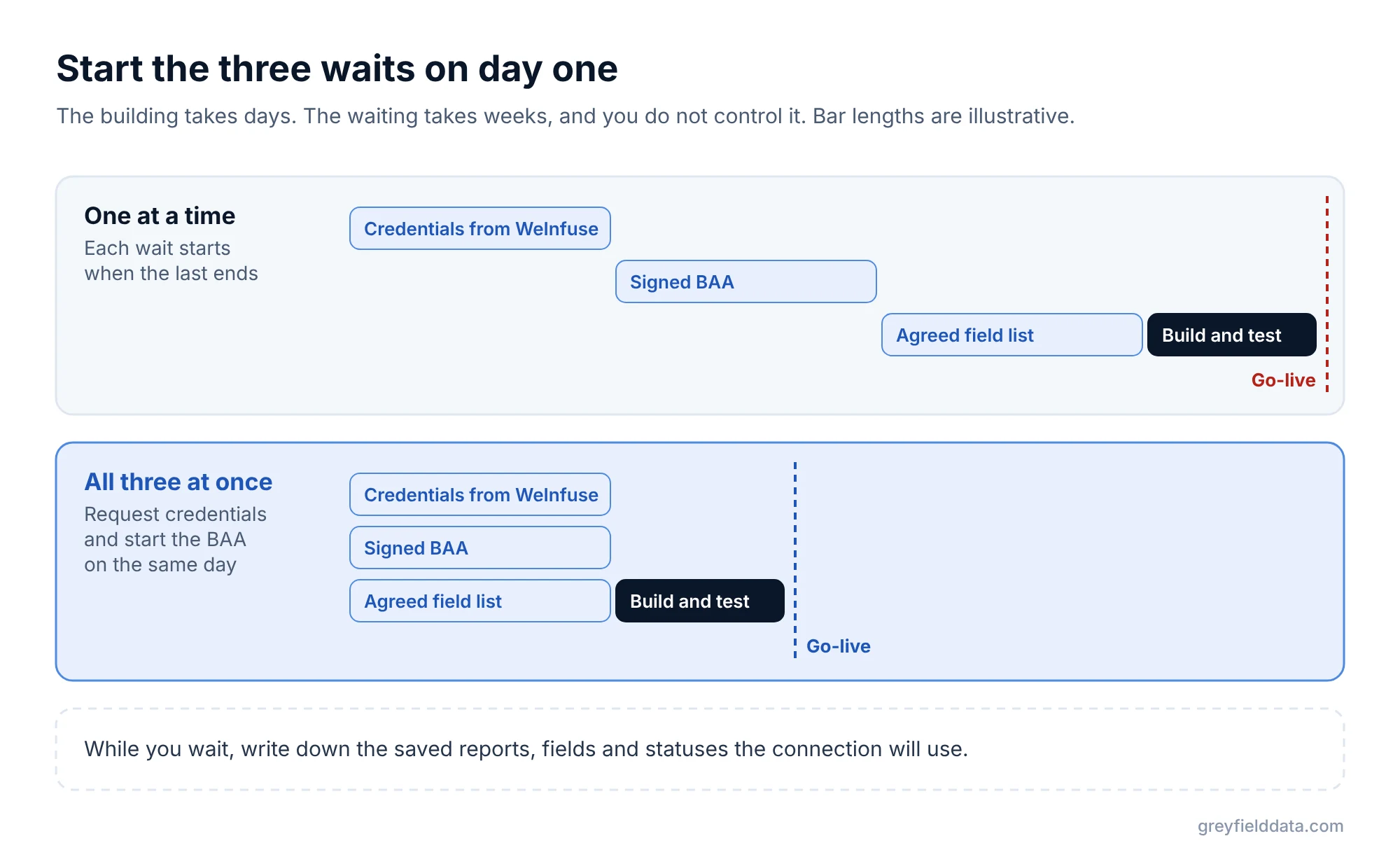
The technical work is often days. The waiting is what takes weeks: credentials from WeInfuse, a signed BAA, and agreement on the field list.
Start all three at once. On a four-report manufacturer program I worked on, most of the elapsed time went to checking results and coordinating between the center, the manufacturer and the receiving vendor, not to building the reports.
For the bigger picture of how WeInfuse reporting is organized, see the WeInfuse reporting guide and the WeInfuse data guide. If a scheduled file is enough and you don't need the API yet, see how to schedule WeInfuse reports to SFTP. For where the data goes next, see getting WeInfuse data into Power BI, Sigma or Snowflake. All your infusion data in one place explains what a data warehouse adds once the connection is live.
WeInfuse is a trademark of its owner. Greyfield Data is independent and not affiliated with WeInfuse.
Frequently asked questions
How do I get WeInfuse API credentials?
Ask WeInfuse support. In the accounts I have worked with, API access was not on by default and the credentials were issued by WeInfuse for each center.
Does the API connection need its own Looker seat?
The credentials act as a Looker user, so that user needs an active seat and access to the saved reports. Confirm with WeInfuse how seats are counted for your account.
Do I need a BAA before a vendor connects to WeInfuse?
If patient information will move, yes. Have a business associate agreement in place with every party that handles it, and limit the pull to the fields the work needs.
How do I know the connection is pulling everything?
Compare row counts with WeInfuse for the same date window, check that known patients appear, and record counts on every run. A run that finished is not proof it was complete.
What to do next
Send WeInfuse support your credential request today, and start the BAA in parallel. The infusion data readiness check helps you spot gaps in your own records first.
While you wait, write down the saved reports, fields and statuses the connection will use. If you want someone to run the tests and own the go-live, book a call.
Part of the Infusion analytics guides, a reading path through related articles.
Linus Tse
Founder of Greyfield Data. Built 400+ dashboards. Certified in Sigma, Snowflake, Tableau, and Power BI.
About Linus