What should you ask before a hub or prior auth vendor connects to WeInfuse?
What prior authorization and hub vendors need from your WeInfuse data, why patients go missing on their side, and the questions to ask before you connect them.

Written by Linus Tse, founder of Greyfield Data
· 8 min read
On this page 8 sections
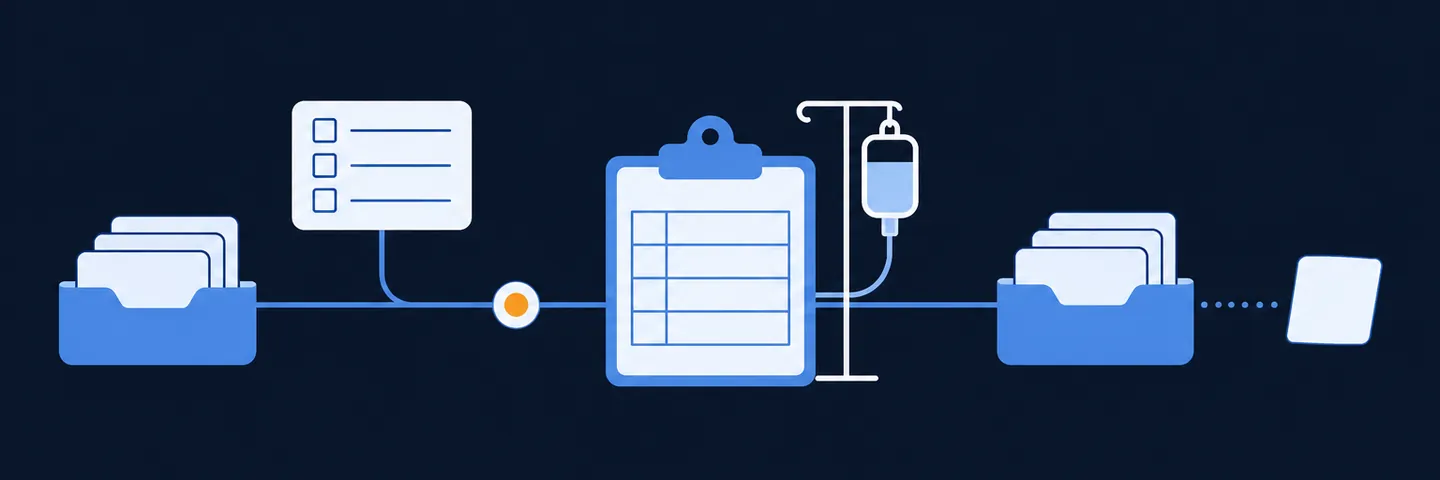
A prior authorization or hub vendor needs your patients, orders, prescribers, locations, insurance, authorizations and appointments from WeInfuse. It usually pulls them on a schedule through the Looker API. When a patient is missing on the vendor's side, the cause is usually not a broken sync. It is a filter: the patient's authorization status is not on the list the vendor pulls, or the saved report excludes them. Agree the status list, the fields and the checks before you connect.
I built and supported a WeInfuse integration for a hub-services company and have traced many "missing patient" reports to their cause. The manufacturers and hubs page describes that work from the vendor's side. If you are about to connect a vendor, see WeInfuse reporting help, or book a 30-minute call.
Key takeaways
- Most "missing patient" problems come from which statuses or records the vendor's pull includes, not from the connection failing.
- Get an exact list of authorization statuses to include. Do not add statuses because they sound related.
- Patients with an order but no visit or task yet can show up with no prescriber. Match prescribers by NPI, using the order.
- A request waiting on the payer may not have an authorization number yet. Ask how the vendor handles the record when the real number arrives.
- Ask for row counts and failure alerts. A connection that ran is not proof that every patient arrived.
What does a vendor need from WeInfuse?
They need enough to follow each patient from order to approval to treatment. On one hub integration I worked on, the vendor's system kept nine kinds of records. The WeInfuse reporting guide explains where each one lives in WeInfuse.
| Record | What it tells the vendor | Good to know |
|---|---|---|
| Patients | Who the patient is | Covered by your BAA; only the fields required |
| Prescribers | Who ordered the therapy | Match on NPI, not name; names are often spelled differently |
| Locations | Where treatment happens | Needed for site-level reporting |
| Insurance | Who pays | Primary and secondary can differ |
| Orders | The therapy, dose and status | One order can have many visits |
| Authorizations | Payer approval, dates, treatments approved | Can exist before the payer gives a number |
| Authorization items | Each drug or treatment line on an approval | One approval can cover several items |
| Authorization tasks | The intake workflow step, such as pending or approved | The status list lives here |
| Appointments | Scheduled and completed visits | Visit status is not the same as order status |
Each of these is a different kind of record. A count of rows across all of them is not a count of patients or referrals. The WeInfuse data guide explains what each record holds in plain terms.
What do you need before connecting?
Four things, covered in more detail in the Looker API checklist:
- API credentials for your center from WeInfuse support, and an active Looker seat for the connection to use.
- A business associate agreement with the vendor, since patient information will move.
- A written field list, limited to what the vendor's work needs.
- A named owner on each side, for the credentials, the saved reports and the alerts.
The free infusion data readiness check is a quick way to confirm the owners and agreements are in place.
Why do patients go missing?
The status is not on the list
WeInfuse authorization tasks move through steps. The names in one center I worked with looked like this: auth required, authorization not requested, pending, approved or denied, authorization expires, authorization expired. Some meanings were inferred from how that center used them, and other centers use different steps and wording.
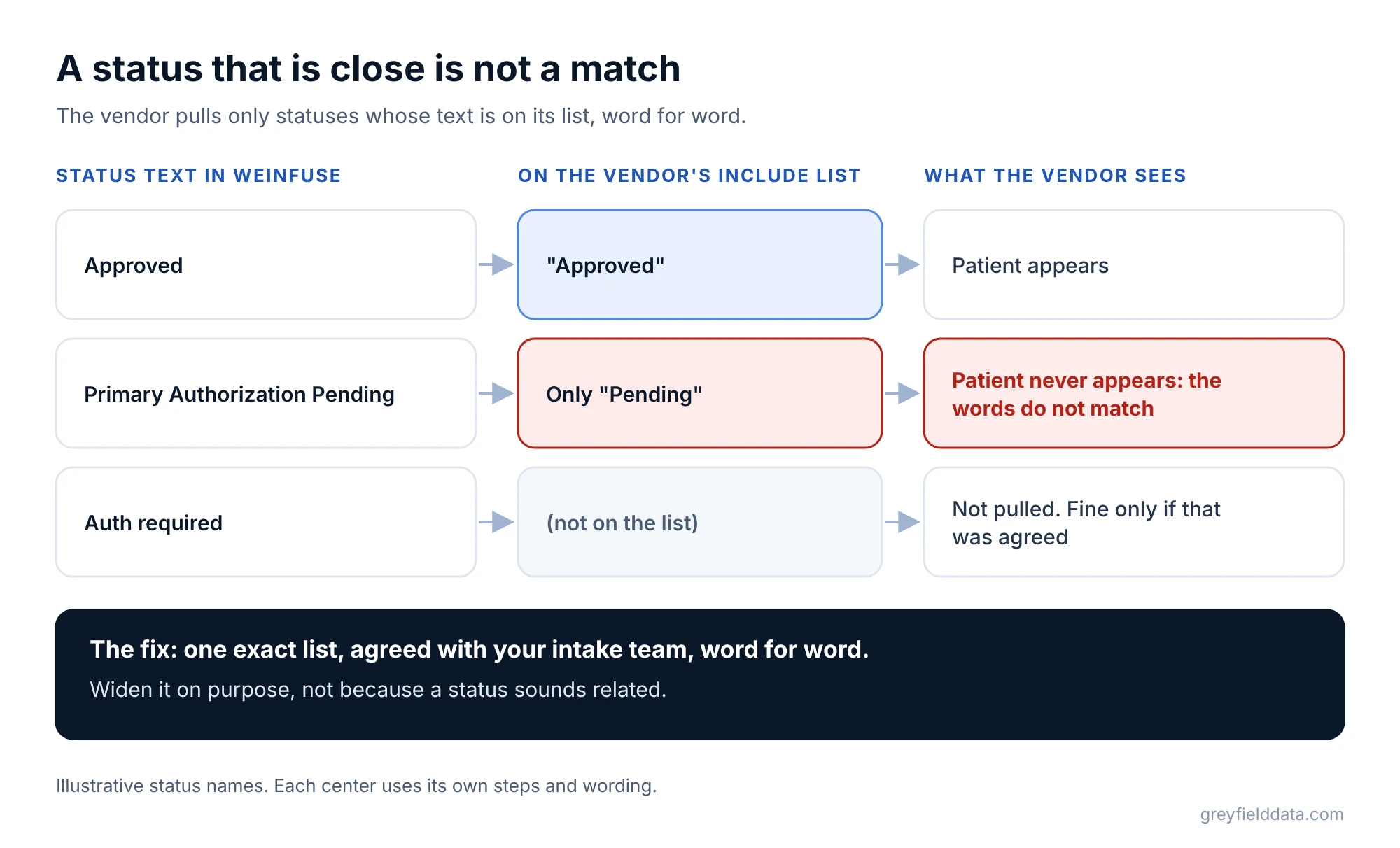
A vendor's connection usually pulls patients in some of those steps. If the list says "Pending" and your team uses "Primary Authorization Pending", the patient never appears. The fix is an exact list, agreed with your intake team, with the precise text of each status. Widen it on purpose, not because a status sounds related.
The saved report filters them out
The connection runs saved WeInfuse reports, and those reports keep their own filters. A date filter, a location filter or a drug filter can drop patients the vendor expects to see. If someone edits the report in WeInfuse, the vendor's data changes without any warning. Keep the connection's reports in their own folder and agree who may change them. The guide to scheduling WeInfuse reports covers how to keep scheduled reports stable.
The prescriber shows as unknown
Vendors often link patients to prescribers through visits or tasks. A patient who has an order but no visit or task yet has no link, and shows as "unknown". In one case, only about a third of a prescriber's ordered patients appeared through those links. Adding the order's prescriber as a fallback fixed most of them. Match on NPI, never on name, and do not assume an internal provider ID is an NPI.
The approval has no number yet
A request waiting on the payer may not have an authorization ID. One integration I worked on gave those records a temporary "pending" ID. When the real authorization arrived, the ID changed. Unless the vendor's side retires the temporary record, the patient can appear twice, once pending and once approved. Ask how they handle it.
A run failed and nobody noticed
Connections often pull data in date windows. If one window fails and the program moves on to the next, that window's changes are missing until someone re-pulls it. The full file vs changes-only guide explains why a periodic full copy catches these gaps. Ask for row counts per window and an alert when a run fails or comes back short.
It is loaded, just not shown
Sometimes the record is there and the screen does not show it. On one portal, a patient with two authorization requests showed only one. The data was complete; the display was the problem. Check the vendor's data before you assume your side is wrong.
How do you trace a missing patient?
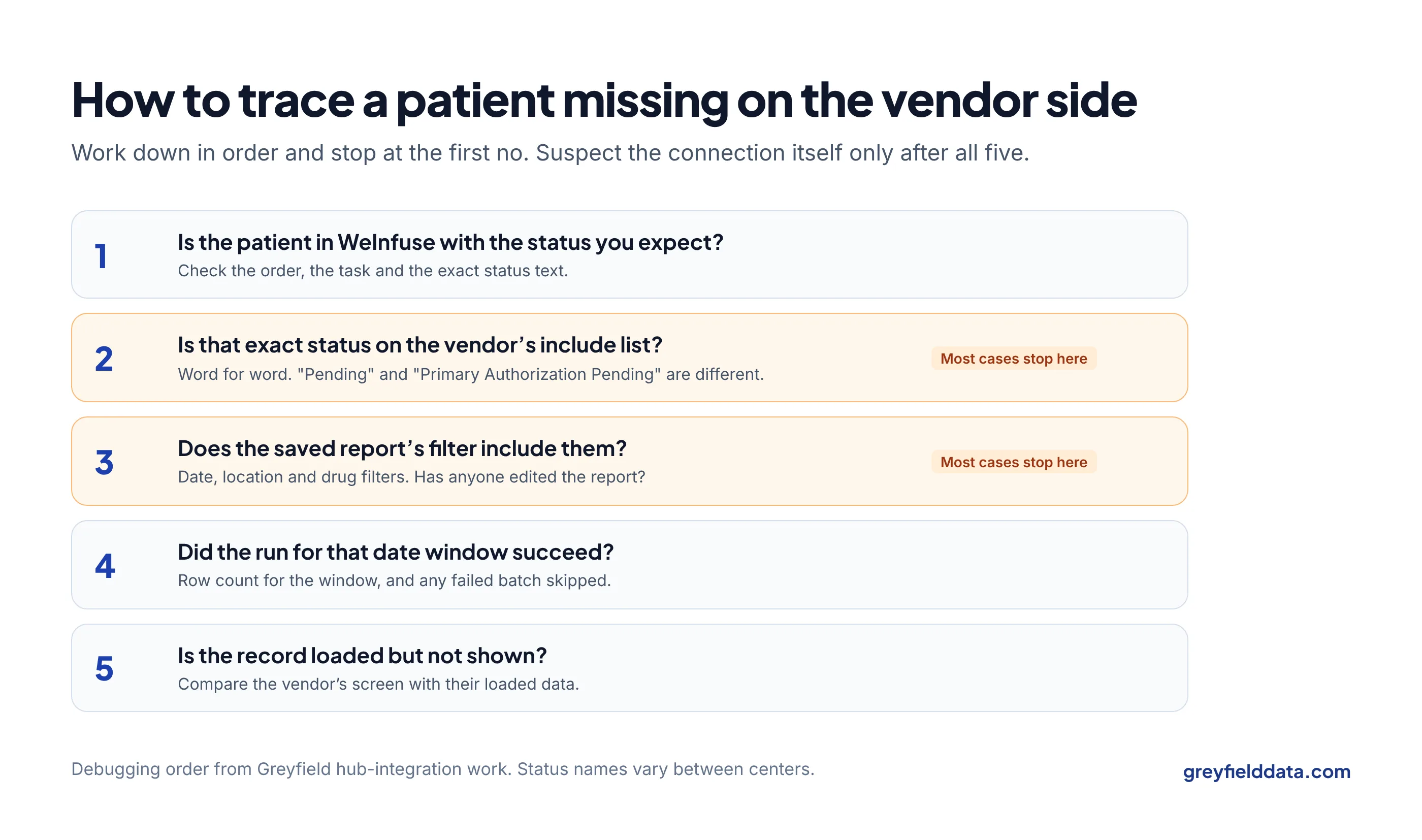
Work through the same steps in order, and stop when you find the cause:
- Check WeInfuse for that patient: the order, the task, and the exact status text.
- Compare the status with the vendor's include list, word for word.
- Check the saved report's filters for date, location and drug.
- Check the run for that date window: did it succeed, and how many rows came back?
- Check the vendor's screen against their loaded data.
Only after those steps is it worth suspecting the connection itself.
Which questions should you ask the vendor?
Ask the vendor these nine questions before you connect, and get the answers in writing.
| Question | Why it matters |
|---|---|
| Which exact statuses do you pull? | Most missing patients start here |
| What do you do with a pending record when the real approval arrives? | Prevents duplicates |
| How do you link patients to prescribers? | Avoids "unknown" prescribers |
| Do you match prescribers on NPI? | Names are unreliable |
| How far back does the first load go? | Older patients may be missing on purpose |
| What happens when a run fails? | Gaps should be caught and re-pulled |
| Do you record row counts per run? | The only proof that everything arrived |
| Who sees which patients on your side? | Access should match your agreement |
| Which fields do you need, and why each one? | Keeps the pull to what is needed |
For where these numbers end up on your side, see authorizations expiring before the next visit and the referral-to-first-treatment guide. If patients are stalling before their first infusion, the referral leakage calculator estimates how many you lose. The infusion data feeds white paper covers the agreements and checks behind any recurring program report.
WeInfuse is a trademark of its owner. Greyfield Data is independent and not affiliated with WeInfuse.
Frequently asked questions
Why is a patient missing in our hub vendor's system?
Usually their authorization status is not on the vendor's include list, or a filter in the saved report excludes them. Check the exact status text in WeInfuse first.
What data does a prior authorization vendor need from WeInfuse?
Patients, prescribers, locations, insurance, orders, authorizations and their items and tasks, and appointments, limited to the fields the agreement requires.
Do we need a BAA with a hub or prior auth vendor?
Yes, if patient information will move to them. Put it in place before the connection is switched on.
Why does a patient show twice in the vendor's system?
Often a pending authorization record was not retired when the real approval arrived. Ask the vendor how they replace pending records.
What to do next
Ask your vendor for their exact status list and compare it, word for word, with the statuses your team uses in WeInfuse. That single check clears up most missing-patient reports.
The prior authorization denials by payer guide shows what to track once approvals flow. If you want help tracing a gap or setting up the connection, book a call.
Part of the Infusion analytics guides, a reading path through related articles.
Linus Tse
Founder of Greyfield Data. Built 400+ dashboards. Certified in Sigma, Snowflake, Tableau, and Power BI.
About Linus