A referring provider portal for infusion centers, explained
A referring provider portal answers "where's my patient?" without a phone call. What it should show, what it needs underneath, and when it's worth it.

Written by Linus Tse, founder of Greyfield Data
· 7 min read
On this page 7 sections
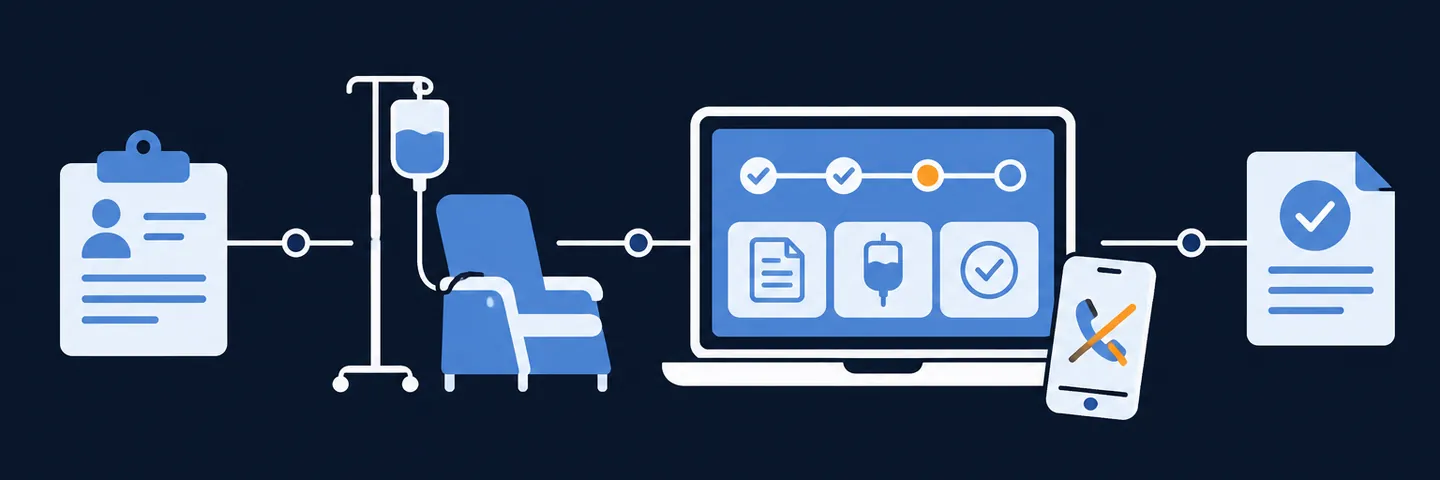
A referring provider portal lets the offices that send you patients check each referral's status themselves. Typical stages are received, benefits checked, authorized, scheduled, treated, and next dose due. It replaces the daily "where's my patient?" calls and faxes with a page they can open any time. To work, it needs two things underneath: every patient tied to the right referring practice by provider ID, and each office able to see only its own patients.
I built a referring-provider portal for a multi-state infusion group, and the hard part was never the screens. It was making sure each office saw exactly its own patients, and nobody else's. If you want to know how many referrals you lose before a first visit, the referral leakage calculator estimates it in a minute.
Key takeaways
- The question referring offices ask most is simple: has my patient started, and if not, what's holding it up? A portal answers it with a status per referral.
- Show stages in plain words and a date for each, plus what the referring office can do to help (a missing signature, a missing note).
- Every referral must be tied to the referring clinician's provider ID (NPI), and each clinician to a practice. Without that, the portal shows the wrong patients or none.
- Access must be limited to each practice's own patients, and in multi-doctor practices sometimes to each doctor's own.
- A portal is worth it when status calls take real staff time, you have many referring offices, or referrers are choosing competitors who keep them better informed.
What do referring offices want to know?
Referring offices want to know whether their patient has started treatment, and if not, why not and what they can do. Most status calls are some version of that question.
What a portal should show for each referral:
| What the office sees | Why it matters to them | Where it comes from |
|---|---|---|
| Referral received, with date | They know the fax didn't vanish | Your intake records |
| Missing items (signature, notes, labs) | They can fix it today | Intake checklist |
| Benefits checked | They know coverage is being worked | Intake records |
| Authorization status and dates | They can expect a start date | Authorization records |
| First visit scheduled, with date | They can tell the patient | Schedule |
| Treated, with dates of each dose | They can track care | Visit records |
| Next dose due, or a missed dose | They can follow up with the patient | Schedule and orders |
| Treatment notes or summaries, if agreed | Fewer requests for records | Clinical documentation |
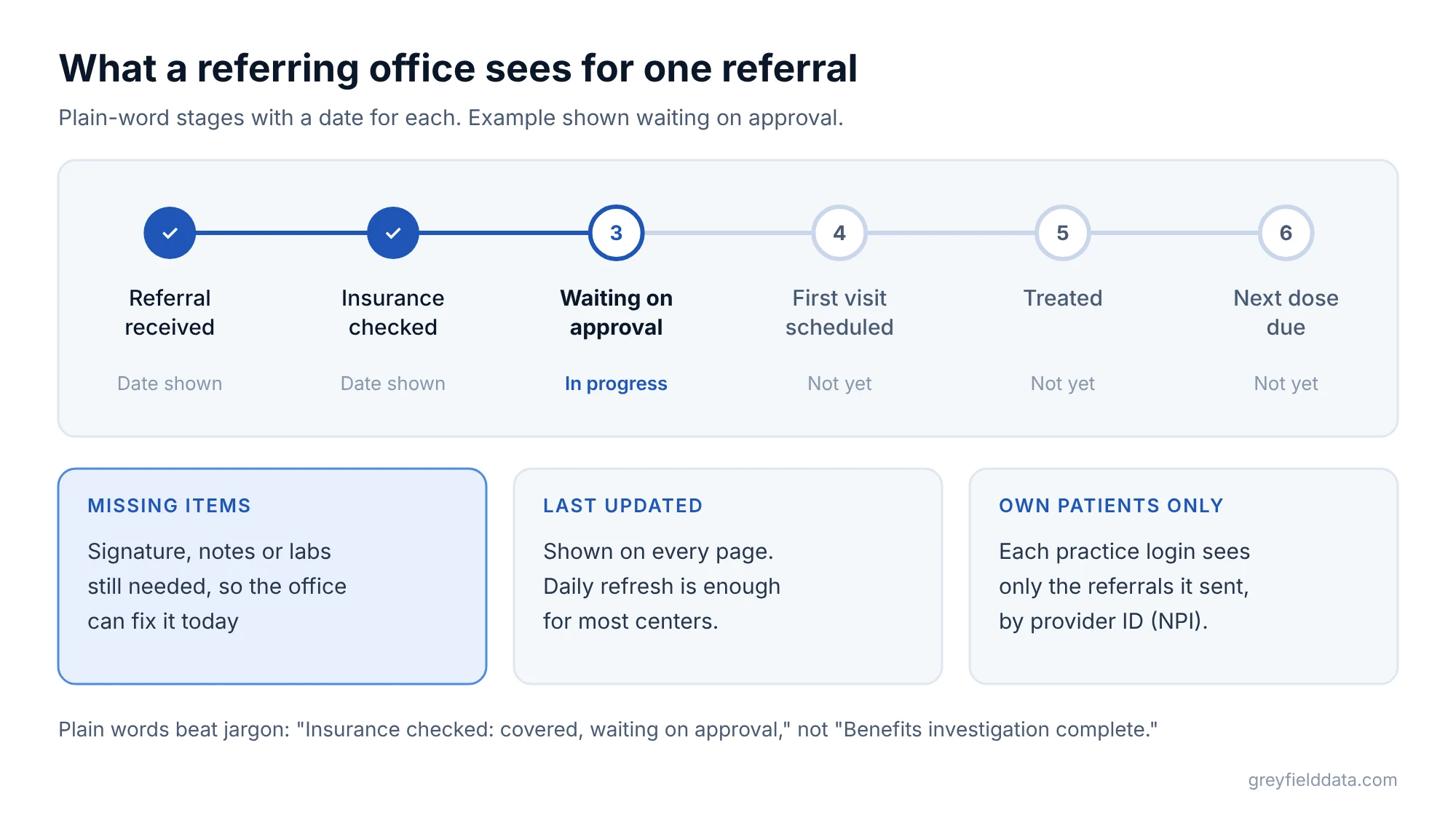
Keep the words plain. "Benefits investigation complete" means little to a front desk. "Insurance checked: covered, waiting on approval" means a lot. The same missing-item list can run inside your center each week, as in the red flag reports guide.
What does a portal need underneath?
A portal needs three things underneath the screens: the right patients tied to the right office, access limited to those patients, and statuses that refresh often enough to be trusted.
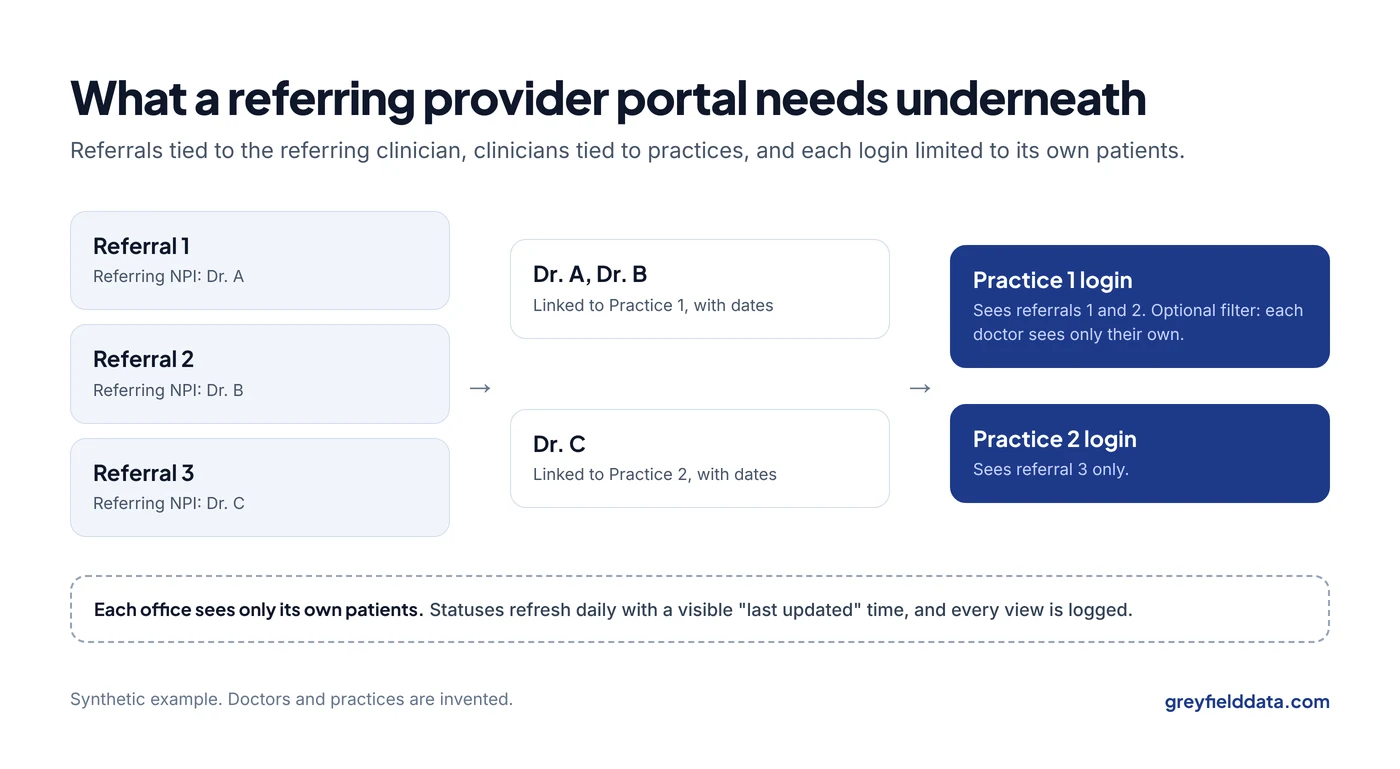
Every referral tied to a referring clinician
Each referral needs the referring clinician's NPI, the 10-digit national provider ID. Names are not enough: two doctors can share a name, and one doctor can be spelled three ways across faxes.
This is where most of the setup time goes. The NPI on your order has to be the clinician who referred the patient, not the one who supervises your infusion suite. The difference is explained in ordering, rendering, referring and supervising providers.
Every clinician tied to a practice
Offices log in as a practice, so each clinician needs to be linked to a practice. Your infusion EHR may not store practice names at all. You can start from addresses in the free NPI Registry, then confirm with each office.
Keep the link dated. When a doctor moves to another practice, their future referrals belong to the new office, but past ones may not.
Access limited to each practice's own patients
Each practice should see only the patients it referred. In larger practices, a doctor may want only their own patients, and the office manager may want all of them. Plan for both from the start.
Sharing information with a referring provider for that patient's treatment is generally allowed under HIPAA, and the "minimum necessary" rule doesn't apply to disclosures to a provider for treatment (45 CFR 164.502(b)(2)(i)). That doesn't mean every office should see everything. Limit each login to its own patients, keep a record of who viewed what, and review your setup with your privacy officer or counsel. This post isn't legal advice.
Statuses that refresh often enough
If the portal says "waiting on authorization" when the patient was treated yesterday, offices stop trusting it and pick up the phone again. Daily refresh is enough for most centers. Show the "last updated" time on every page. A portal that reads from one infusion data warehouse shows the same status your own reports do.
Who supports the doctors' logins?
Someone has to reset passwords, add new staff, and remove people who leave. Decide who before you launch, or your intake team becomes the help desk for every referring office.
Three choices keep that load small:
- One admin per practice. The office manager adds and removes their own staff.
- Sign-in by email link or a standard login service. Fewer passwords to reset.
- Automatic removal after inactivity. Accounts nobody has used in 90 days are switched off.
When is a portal worth it?
A portal is worth it when the time spent answering status questions is large and growing, or when referrers are going elsewhere for better updates. Here is a quick way to size the first part. The numbers are synthetic: use your own.
| Input | Value |
|---|---|
| Status calls and faxes per week | 60 |
| Minutes per call, including looking it up | 6 |
| Staff time per week | 60 × 6 = 360 minutes = 6 hours |
| Staff time per year (50 weeks) | 6 × 50 = 300 hours |
Three hundred hours is a meaningful share of an intake coordinator's year. If a portal cuts status calls by half, that is 150 hours back for benefits checks and authorizations, which is where referrals actually stall. The infusion staffing planner shows what those hours mean for headcount.
The second part is harder to put a number on but often matters more. A referring office that can see its patient was treated within a week is more likely to send the next one. That's why the portal belongs in your referral reporting, not only in your IT budget. To credit growth to the right practices, see how to give your sales team a fair value per visit, and to find new ones, how to find infusion prescribers in Medicare data.
Signs you're not ready yet
- Your referral records don't hold the referring NPI reliably.
- Statuses are tracked in spreadsheets or sticky notes rather than one system. The 12 weekly reports guide is a better first step.
- You have a handful of referring offices and status calls are rare.
The infusion data readiness check gives a quick read on whether your records can support a portal.
In those cases, fix the referral records first. The referral-to-first-treatment guide shows where referrals stall and how to track each stage.
What to do next
Count your status calls and faxes for one week, and note which referring offices make them. That tells you whether a portal is worth building and which offices to pilot it with.
If you want help tying referrals to practices and setting up access by practice, book a call with me. More on this work is on the infusion analytics page and the infusion analytics resource hub.
Frequently asked questions
What is a referring provider portal?
It's a secure website where offices that refer patients to your infusion center can see each referral's status, dates, and next steps, without calling or faxing your staff.
Is it HIPAA compliant to show referral status to the referring office?
Sharing information with a provider for a patient's treatment is generally permitted under HIPAA. You still need secure logins, access limited to each office's own patients, and a record of who viewed what. Check your setup with your privacy officer or counsel.
How do I track which referring physicians are driving our growth?
Tie every referral to the referring clinician's NPI and to their practice, then count referrals, first treatments, and time to start by practice each month. The same links power the portal.
Do I need a portal if my EHR can fax updates?
Not always. Faxed updates work for a few offices. A portal helps when you have many referring offices, status calls are eating staff time, or offices want to check status on their own schedule.
Part of the Infusion analytics guides, a reading path through related articles.
Linus Tse
Founder of Greyfield Data. Built 400+ dashboards. Certified in Sigma, Snowflake, Tableau, and Power BI.
About Linus