10 checks before approving a Sigma migration cutover
Review acceptance evidence, permissions, delivery, ownership, recovery, and retirement decisions before switching users from Tableau or Power BI to Sigma.

Greyfield Data

In this article 11 sections
Cut over to Sigma when the intended users, records, calculations, workflows, and deliveries have been accepted, and there is a workable recovery route. Publishing the workbook is one step in that process. It does not retire the old reporting dependency by itself.
Use these ten checks as a release meeting agenda. Each check should point to evidence, an owner, and a status. Keep critical failures visible rather than averaging them into an overall completion percentage.
Define the release being approved
For this guide, the release replaces a sales workflow with Regional Sales, Product Mix, and Order Detail. It includes month and region selections plus a detail export.
This guide uses the Greyfield sample orders CSV: eight synthetic orders across January and February 2026. Each row is one order. Revenue is in generic currency units, with no tax, returns, or currency conversion. Dataset notes and calculated expected results are included. The arithmetic was checked independently with SQLite; it is a test specification, not a claim that a migration has passed in all three products.
The fixture has no live access policy or delivery schedule. The checks below specify what to verify in a real release; they are not a claim that those systems have already been tested.
1. Is the source baseline fixed?
Record the source version, target version, data cutoff, refresh state, and selected date field. January order revenue should be 290 from five orders in the fixture.
If the source refreshes during review, explain whether the comparison remains valid. Avoid approving a difference as “timing” without identifying the changed records.
Keep the baseline extract and its qualifying Order IDs available to the release reviewer.
2. Do measures match at useful levels?
Require total and grouped comparisons. January East is 190 and West 100. January Known Customers is four; both months together are five.
Check ratios, blanks, and date boundaries separately. O104 moves between months when the question changes from order date to ship date, so the intended date role must be recorded.
An unexplained discrepancy in a business-critical measure is a blocker even if the other cards look right.
3. Are the records and relationships correct?
Inspect row grain and join behavior. O105's three lines should not turn its 120 order revenue into 360.
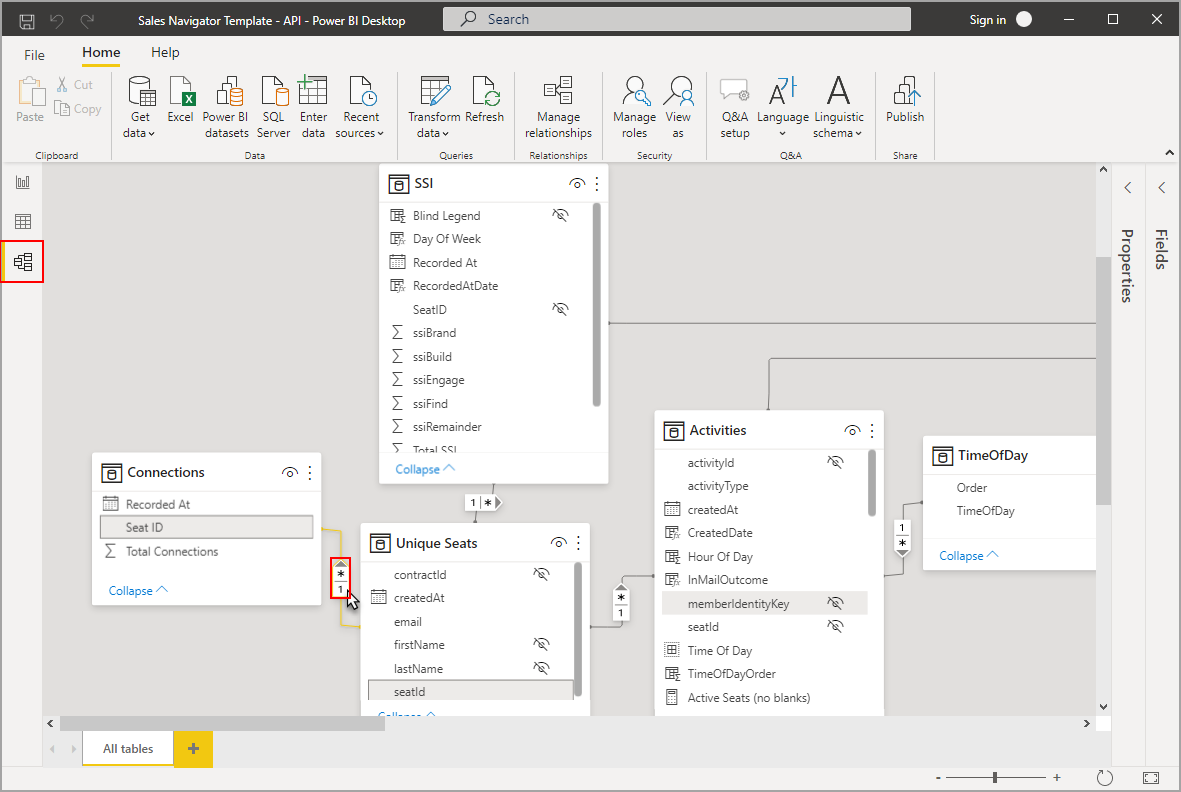
The model diagram is a starting point for inspection. The release evidence should include the actual keys and records checked, not only a picture of connected tables.
Confirm that missing keys and unmatched records receive the agreed treatment. Hiding them from a chart does not resolve the underlying issue.
4. Do the controls affect the intended elements?
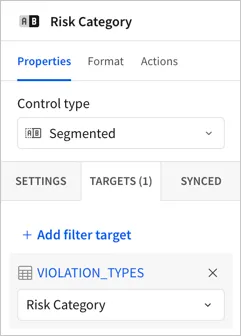
For January East, verify O100, O101, and O104 in detail. Clear East and require five January orders. Test the fresh landing state and a selection with no matching data.
Record any intentional redesign. A different layout can be acceptable; an undocumented difference in filter scope is harder for users to detect.
5. Has a business reviewer completed the task?
Ask the owner to perform the workflow from a fresh visit: choose January, select East, inspect customer C1, return, clear the region, and export.
Record the result and any remaining issue in language the owner understands. A developer confirming that each element renders is not a substitute for the task walkthrough.
Give cosmetic issues an owner and due date if they are accepted after release.
6. Have restricted audiences been tested?
Use the intended restricted identities, not only an administrator. Inspect detail, aggregates, navigation destinations, and exports.
An East-only reviewer must not receive West records under the proposed sample rule. Changing a visible region control should not widen the underlying permitted population.
Any access leak blocks the affected release. Do not defer it as an ordinary visual defect.
7. Are export files and deliveries accepted?
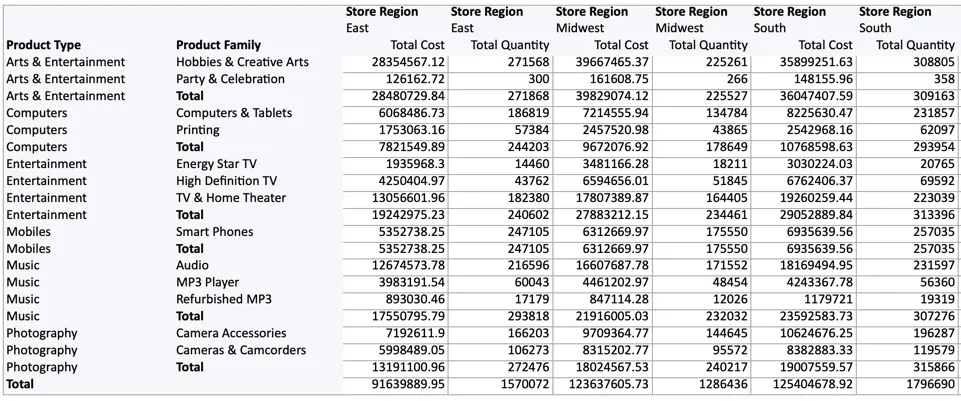
Open the actual attachment and inspect required fields, selected period, row population, number formats, and labels. For January East, expect three order records and 190 revenue.
For scheduled delivery, check recipients, time zone, saved controls, and a received authorized test. Sigma provides options for scheduled-export control values; the saved configuration must match the intended output. Sigma export options
A schedule being saved is configuration evidence. A received, checked file is delivery evidence.
8. Is the published version the reviewed version?
Record which version passed the tests. Recheck affected cases after any last-minute change to calculations, targets, or access.
The source and target links in the acceptance record should open the intended objects. Avoid distributing a builder's temporary draft link as the finished replacement.
Confirm that the release owner knows how the approved version is published and which changes require another review.
9. Can the team recover from a critical failure?
Define the trigger for recovery, who makes the decision, what link or report users return to, and how fresh that source will be.
Keeping an old report is not enough if its data refresh has stopped or its recipients have been removed. Test the operational path before depending on it.
Agree how to communicate the temporary change through the team's normal process. The runbook should identify the responsible person rather than assuming the builder will always be available.
10. Are old dependencies ready to retire?
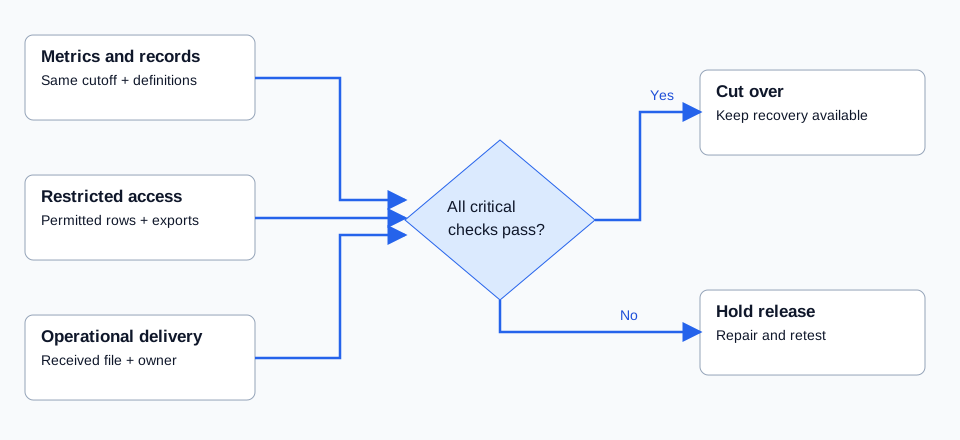
List old links, subscriptions, embedded consumers, spreadsheets, and recurring outputs. Assign each an owner and a replacement or an explicit retirement decision.
Do not delete the source simply because the target is live. Wait for the agreed acceptance and observation conditions, then follow the organization's retention requirements.
The release record should end with a clear Go or No-go decision and named exceptions. Use the validation guide for the underlying evidence and the migration timeline guide to schedule the review and handover work.
Related
7 DAX measure tests to define before migrating Power BI to Sigma
Define expected behavior for Power BI measures before rebuilding them in Sigma, including totals, filters, distinct counts, dates, blanks, ratios, and relationships.
Tableau workflow review7 Tableau interactions to review before moving to Sigma
Document how people use Tableau before rebuilding their workflows in Sigma, from filter scope and parameters to actions, tooltips, navigation, and exports.
Migration pilot8 tests for choosing a useful Sigma migration pilot
Choose a Power BI or Tableau migration pilot that tests important calculations, shared dependencies, user workflows, and acceptance without becoming the whole project.